Case study by Yana Yeromina · 2021

Transparnet:
The Internet Evolution

A two-stage civic-tech platform: a public-facing landing site that builds movement and awareness, and a private portal where verified citizens read, write, and debate, designed entirely from scratch.

Civic Tech Web Platform UX / UI Design Brand Identity Design System Figma
Role
UX/UI Designer
Year
2021
Platforms
Web · 2 Products
Scope
0→1 · Full Product

Transparnet is a civic-tech platform built on one belief: the internet should be safer, more authentic and accountable.

It brings citizens, legislators, tech companies and digital experts together around positive digital change. One stakeholder requirement shaped the architecture from day one: two distinct experiences, a public visit card that explains the mission, and a private portal where registered, verified users engage with content and each other.

The two-stage model wasn't just a technical decision. It was a trust architecture: separating the open invitation from the authenticated community built credibility before asking for commitment.

Visitor

Reads the feed, learns how it works and votes in the poll, all without signing up.

Member

Registers to comment on posts and projects and to discuss them with other users.

Verified contributor

Verifies a passport, writes and publishes articles, and builds a visible reputation.

What I did

  • 0→1 product design for both stages
  • Brand identity and visual language
  • Information architecture and user flows
  • The landing site: all pages and sections
  • The portal: authentication, feed and profile
  • Article creation and editorial tools
  • The design system and component library

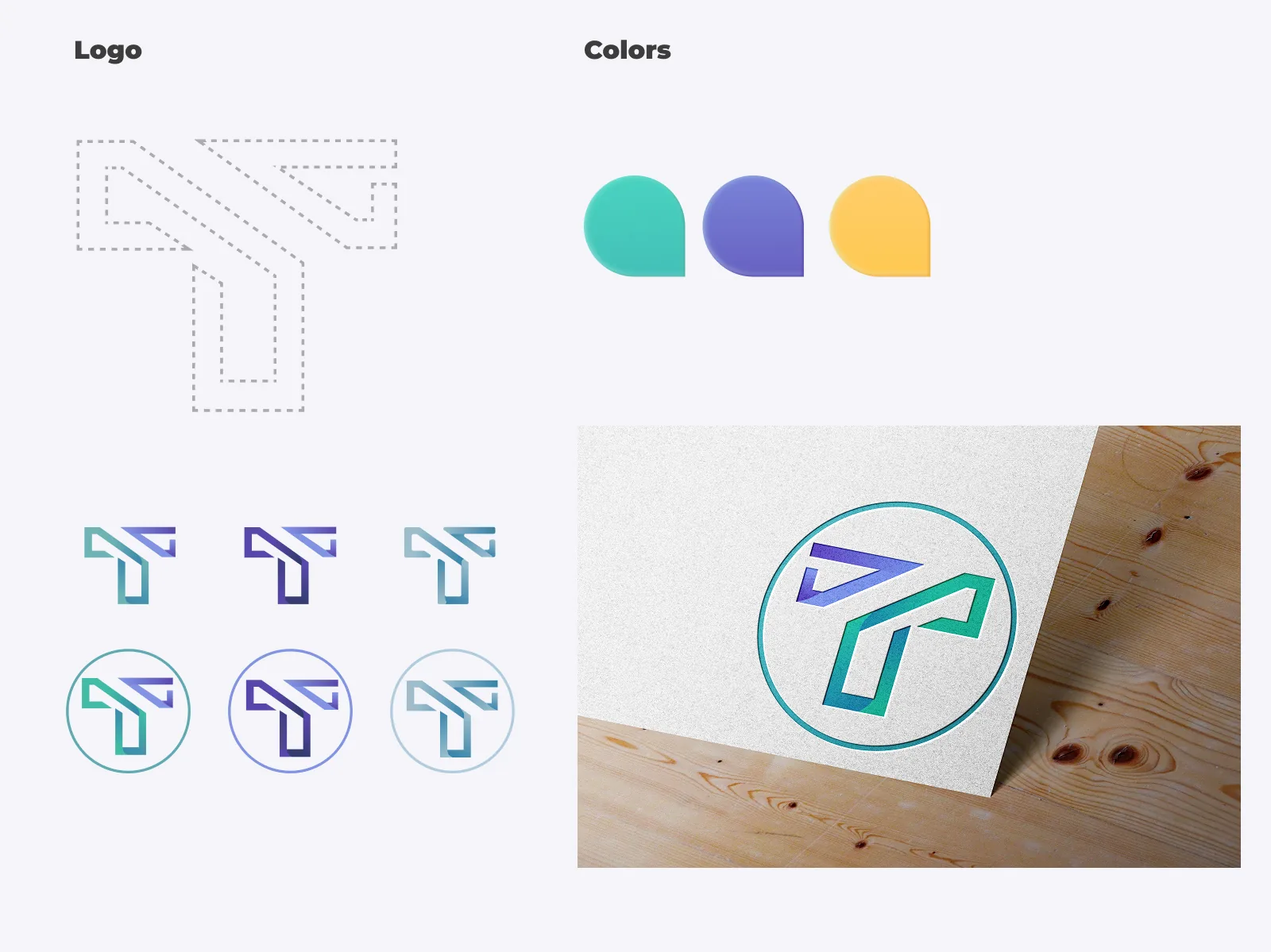
Trustworthy and approachable: neither cold and governmental, nor casual and playful.

The TP logomark, enclosed in a circle, signals verified identity. A vibrant teal primary pairs with soft lavender accents and warm amber highlights, giving the system range across contexts and content.

Transparnet brand: logo, colours and applications
#514DA7
Teal Primary
#8B82DE
Lavender
#F0B84A
Amber
#2D2D3A
Dark Neutral
#F5F5F8
Off-White
STAGE 01 The Visit Card

The public-facing landing site, open to anyone. Its job is to explain the mission, earn trust, and invite participation before asking for registration.

Visit card · Landing page

Say what it is, and show who it is for

The landing page had to communicate the mission instantly while projecting civic credibility. Real faces in an editorial layout set a warm, inclusive tone.

  1. The claim. "The Internet Evolution" makes the brand promise unmistakable
  2. Sparse navigation. About us, Our work, The conversation and Contact
  3. One invitation. "Get involved" sits apart from the menu
  4. Real people. Human faces instead of abstract tech imagery
  5. Join without pressure. A single, quiet call to action
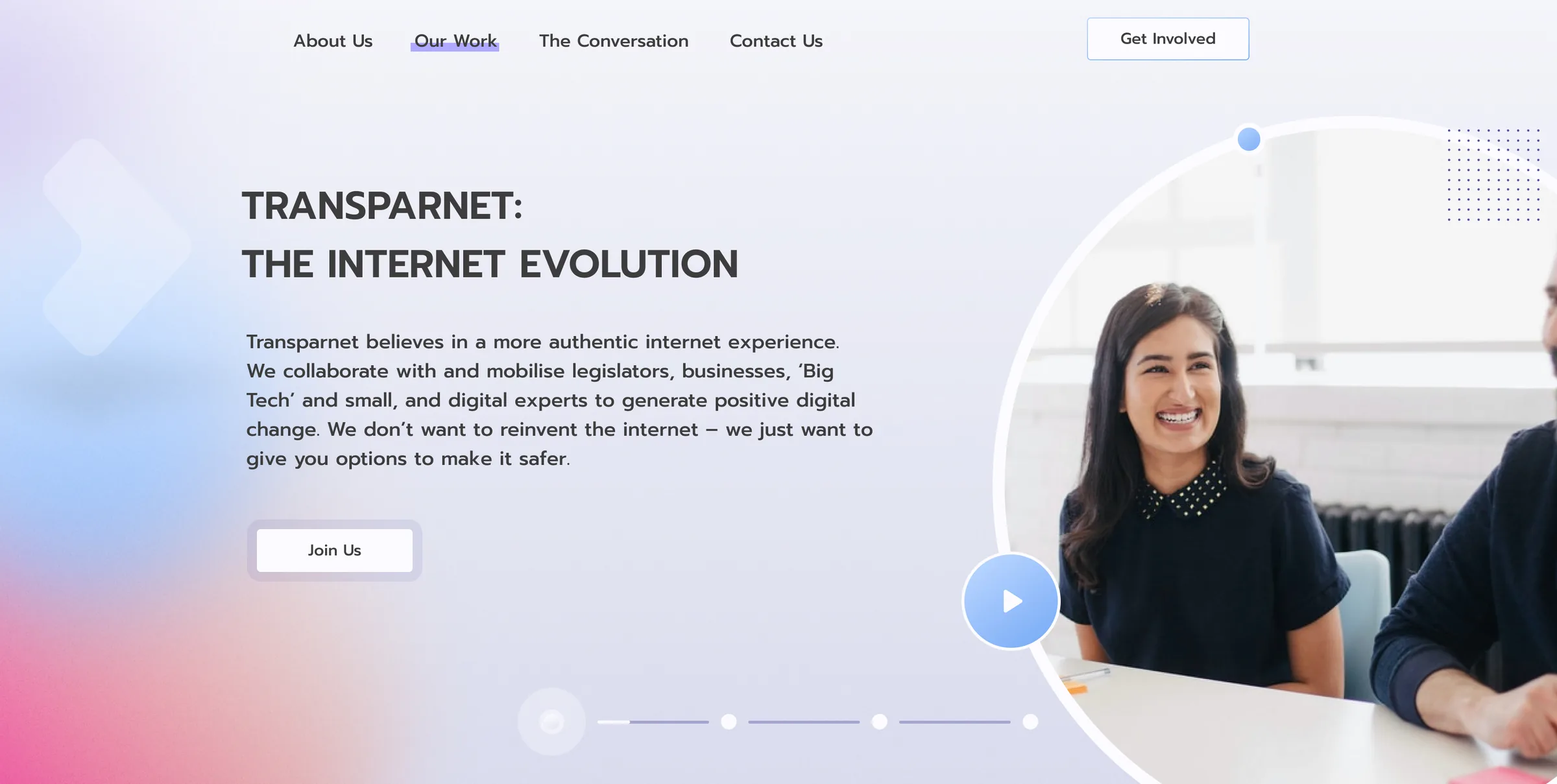
Transparnet landing page: the headline The Internet Evolution, a short mission statement, a Join Us button, sparse navigation with a Get Involved button, and a photo of smiling people
Visit card · About us

A human story behind the mission

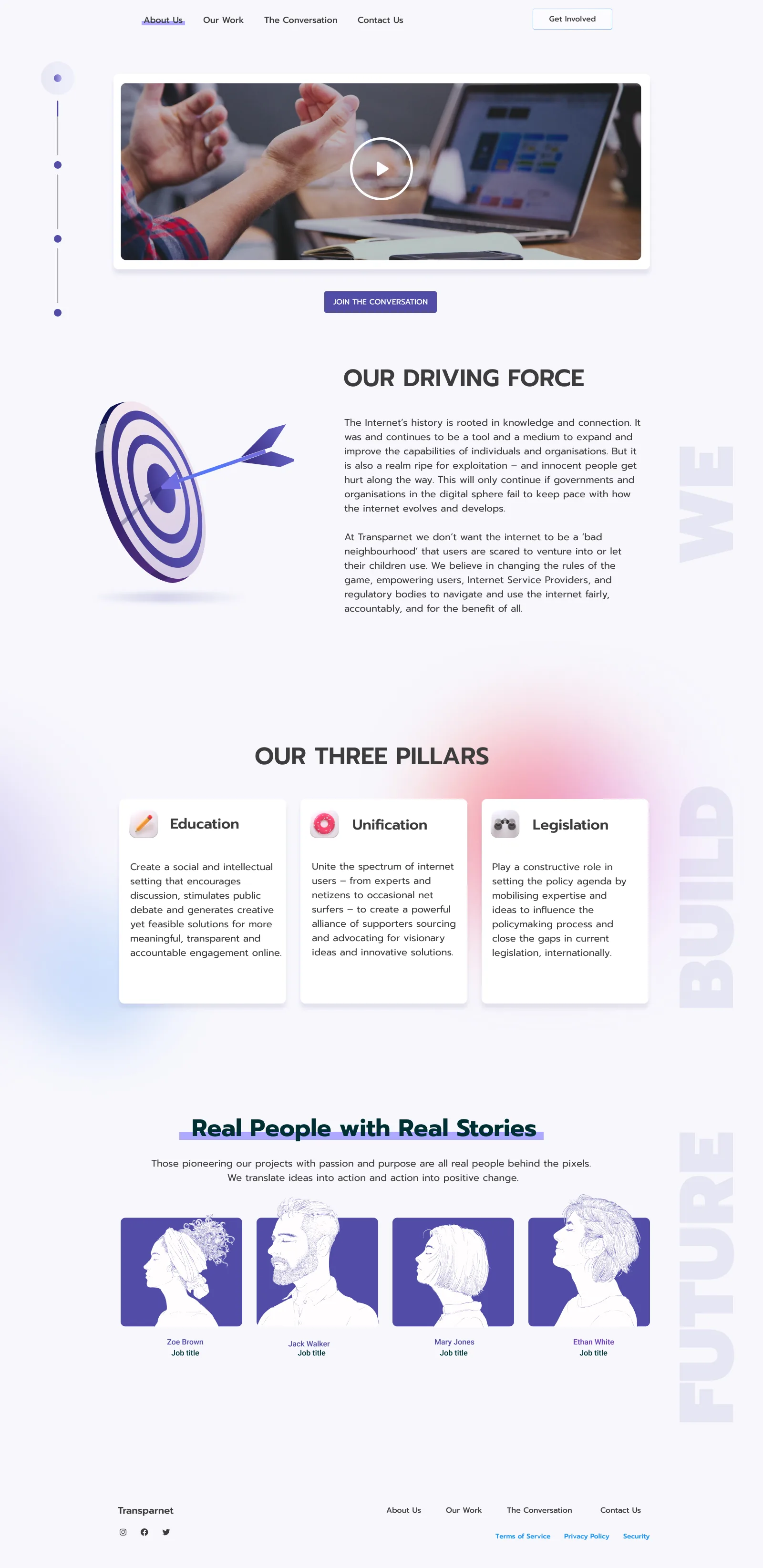
The About page tells who is behind Transparnet and why it exists. A bold headline anchors the page, a teal band carries the driving force, and "Real people with real stories" introduces the team.

  • Education. Encourage discussion and creative approaches to internet safety
  • Unification. Unite experts and everyday users behind transparent digital legislation
  • Safety. Mobilise expertise to influence policymakers and close gaps in digital law
Transparnet About Us page: a We Build Future headline, a teal band with the driving force, three pillars and the team
Visit card · Guest view

Value before registration

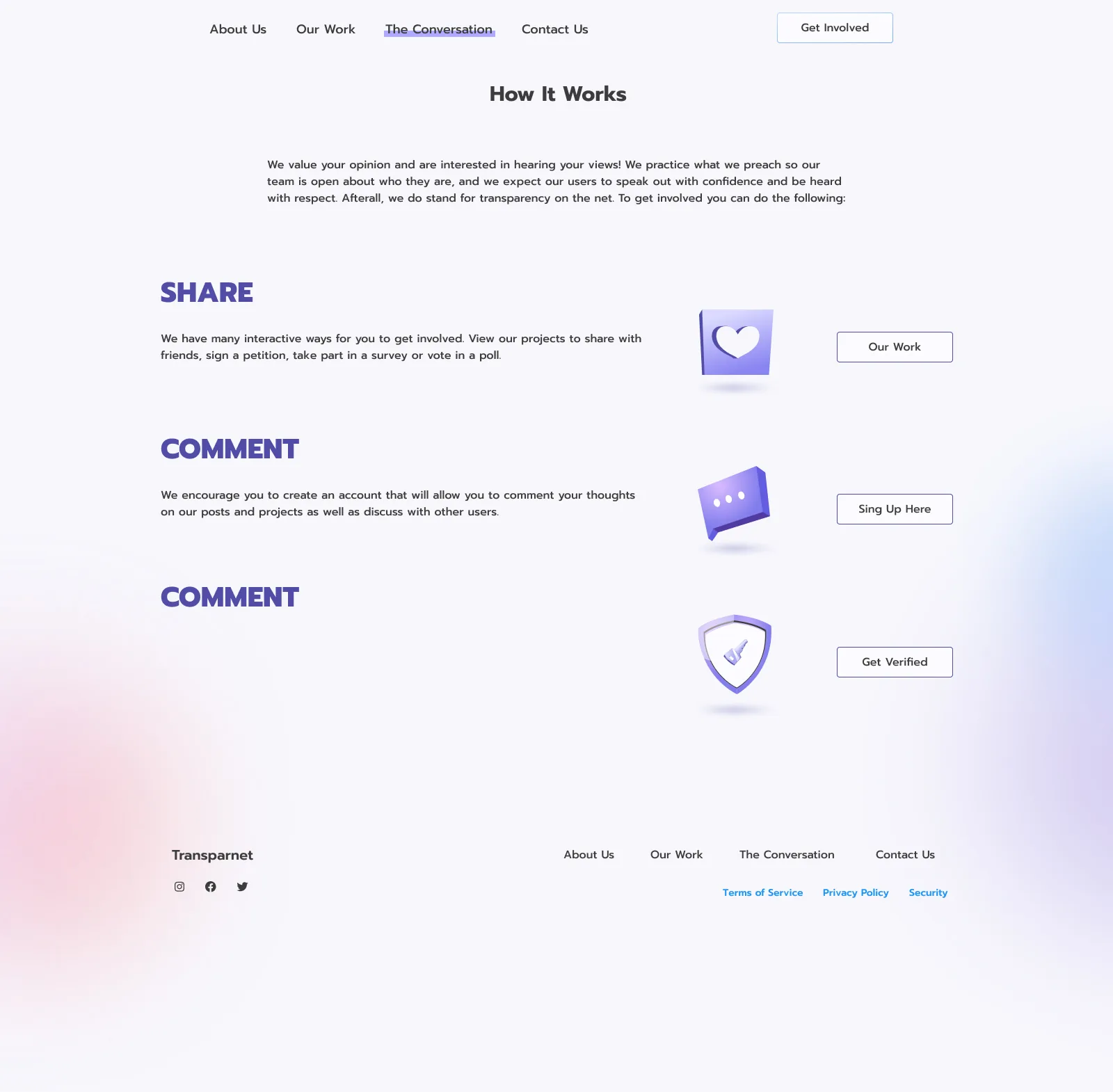
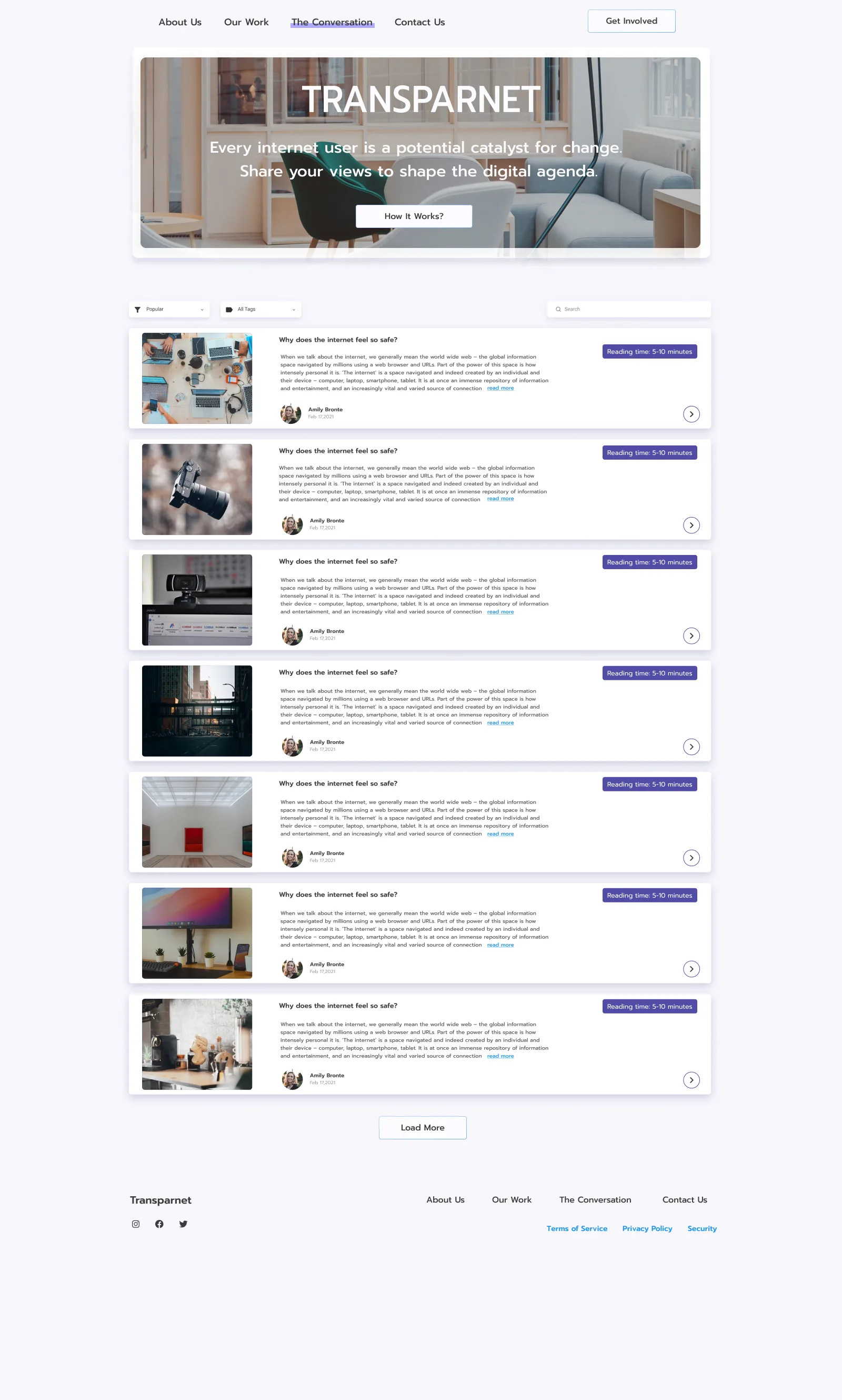
Without logging in, visitors can browse the whole article feed. "How it works" presents three ways to take part (share, comment and verify), guiding visitors toward registration with transparency rather than pressure.

  • Three ways in. Share, comment, get verified
  • A filterable feed. Reading times, tags and authors show the community's quality
  • Honest invitation. Comments need an account, and the page says why
Transparnet How It Works for guests
How it works. Share, comment, get verified.
Transparnet article feed in the guest view
Article feed. Reading times, tags and author info.
Visit card · Civic poll

Turn readers into contributors

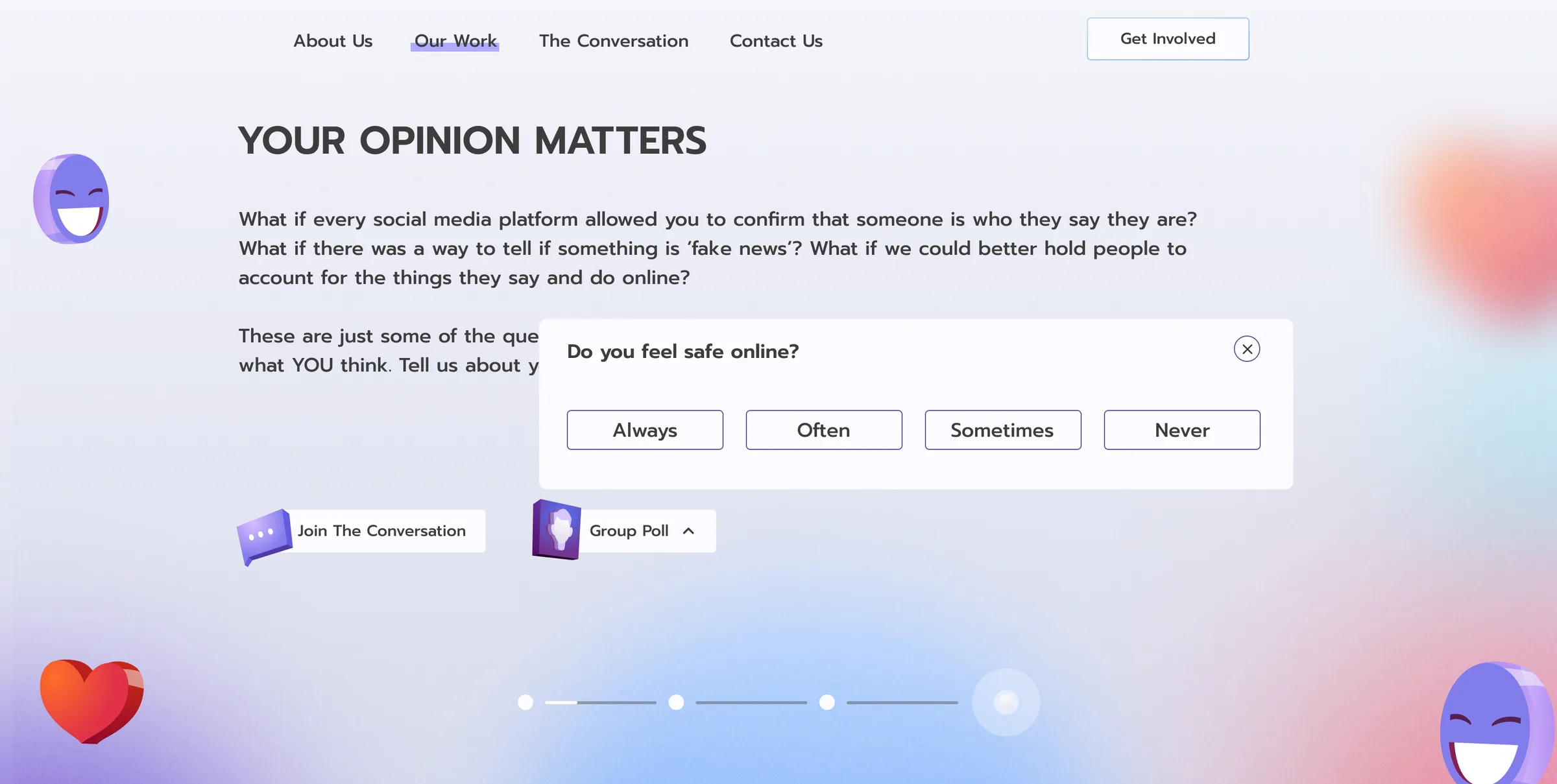
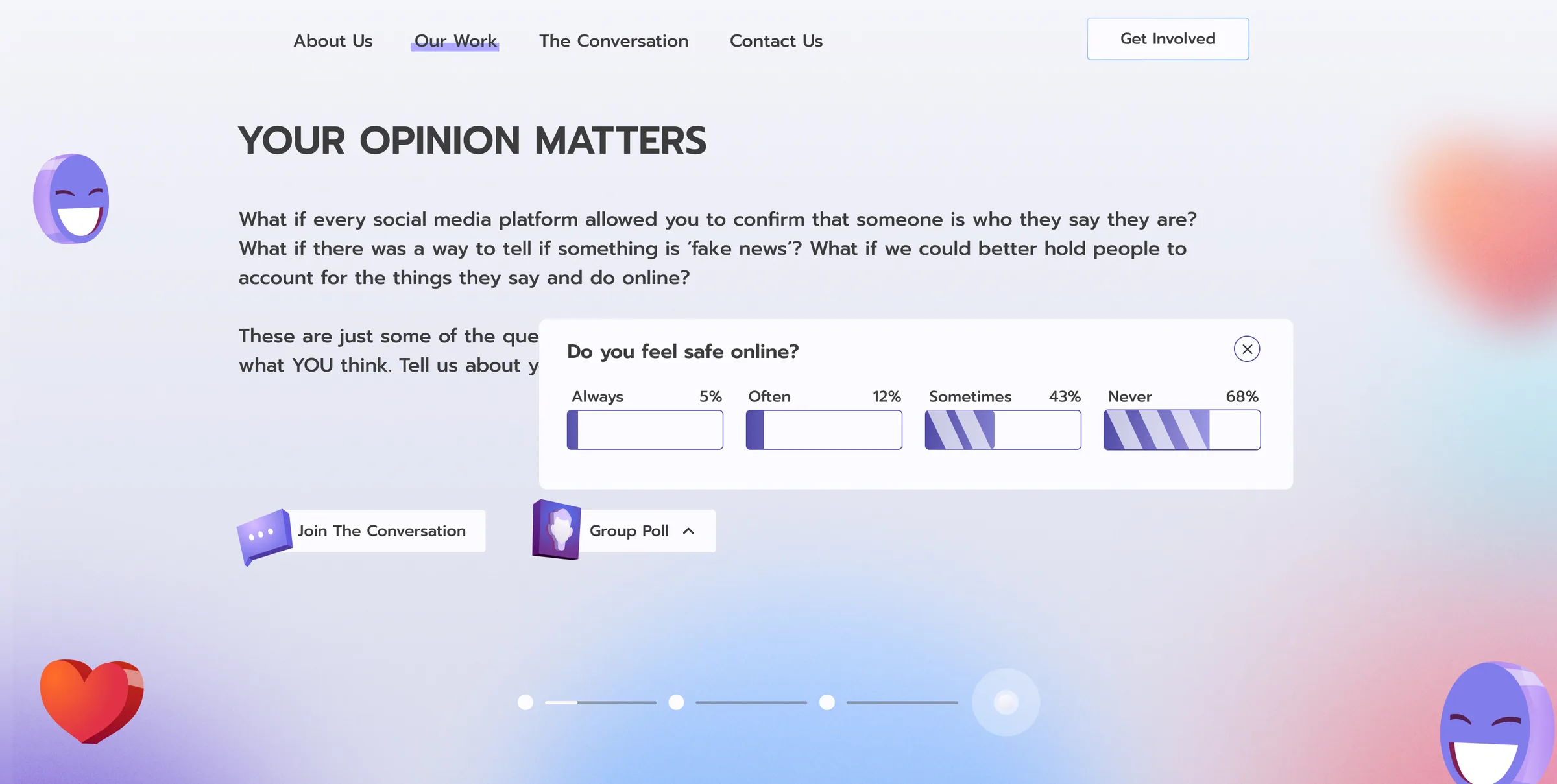
A floating "Group poll" button opens a micro-survey right on the page, no sign-up needed. The question is simple but pointed: "Do you feel safe online?"

  • No account needed. Anyone can vote
  • Four answers. Always, often, sometimes, never
  • Live results. The tally updates as people vote
Transparnet group poll widget asking Do you feel safe online, before voting
Before voting. No login required.
Transparnet group poll widget showing live results
Live results. The tally updates in real time.
STAGE 02 The Portal

The authenticated experience, accessible after registration. Where users read deeply, write articles, build reputation, and engage in verified discussion.

Portal · Sign in

A deliberate moment of commitment

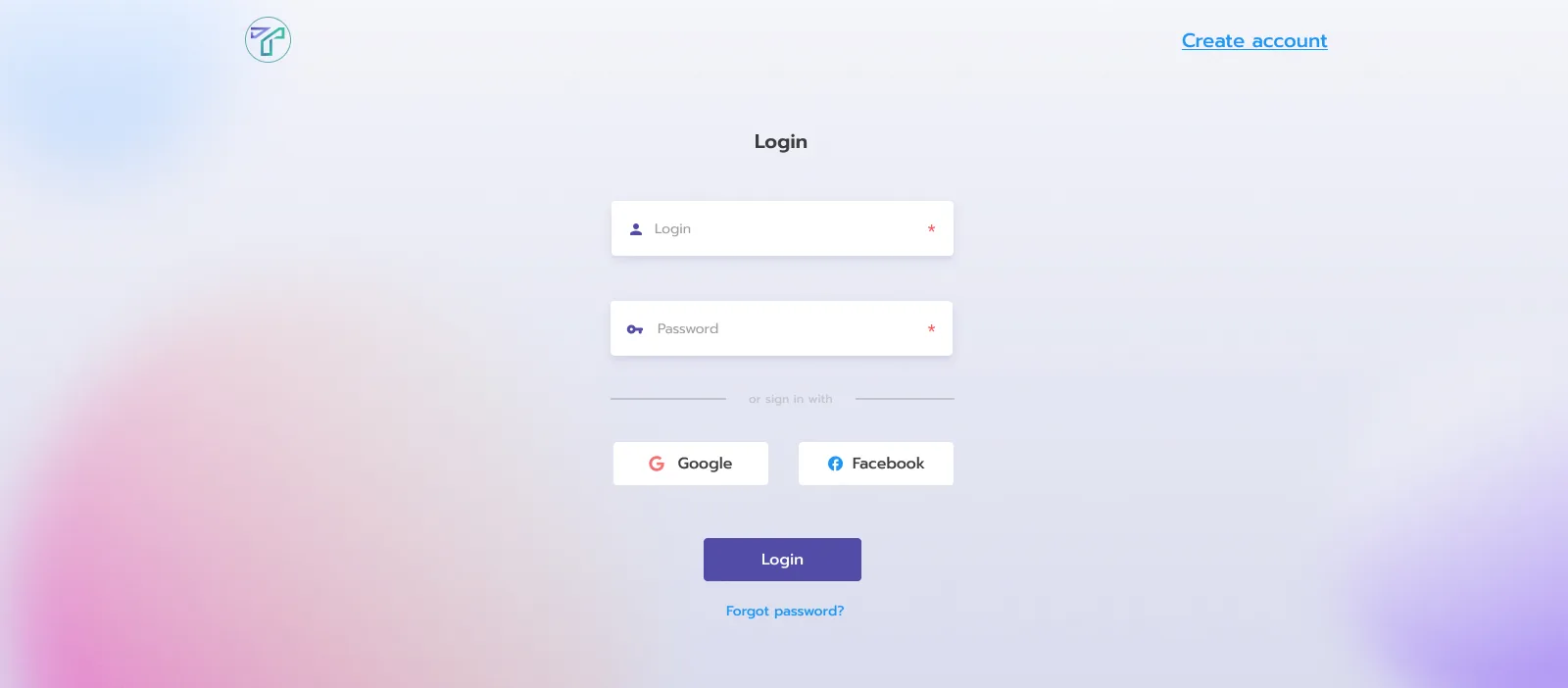
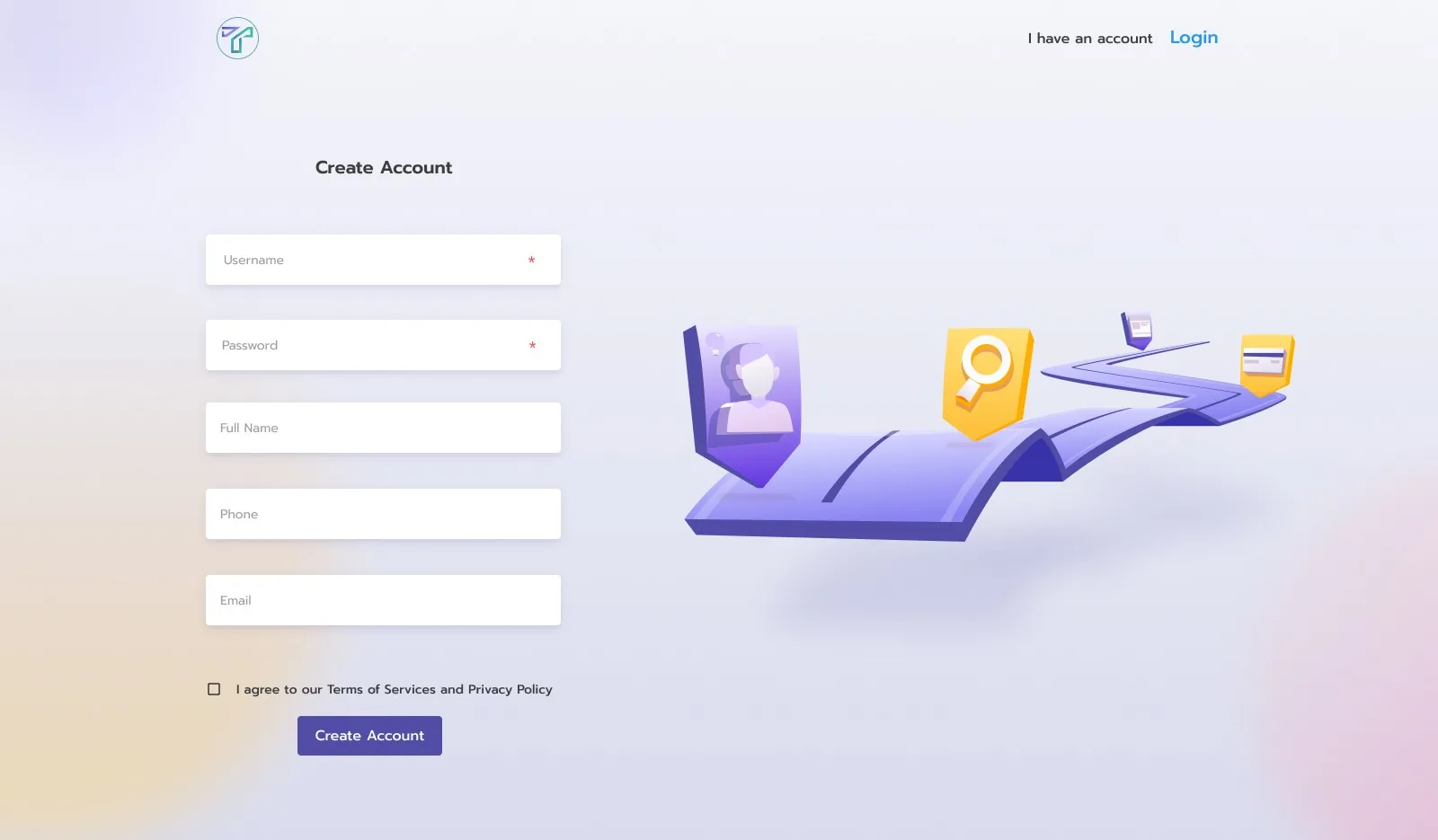
Crossing into the portal changes the mood: the editorial photography gives way to clean, focused forms. Soft gradients keep the warmth, and 3D illustrations on registration add a sense of discovery.

  • Fast sign-in. Email and password, or Google and Facebook
  • Short registration. Username, password, full name, phone and email
  • Verification is optional. A passport check adds trust, it doesn't block entry
Transparnet login screen
Login. Email and password, or Google and Facebook.
Transparnet create account screen with a 3D illustration
Create account. A 3D illustration adds a sense of discovery.
Portal · Profile

Reputation you can see

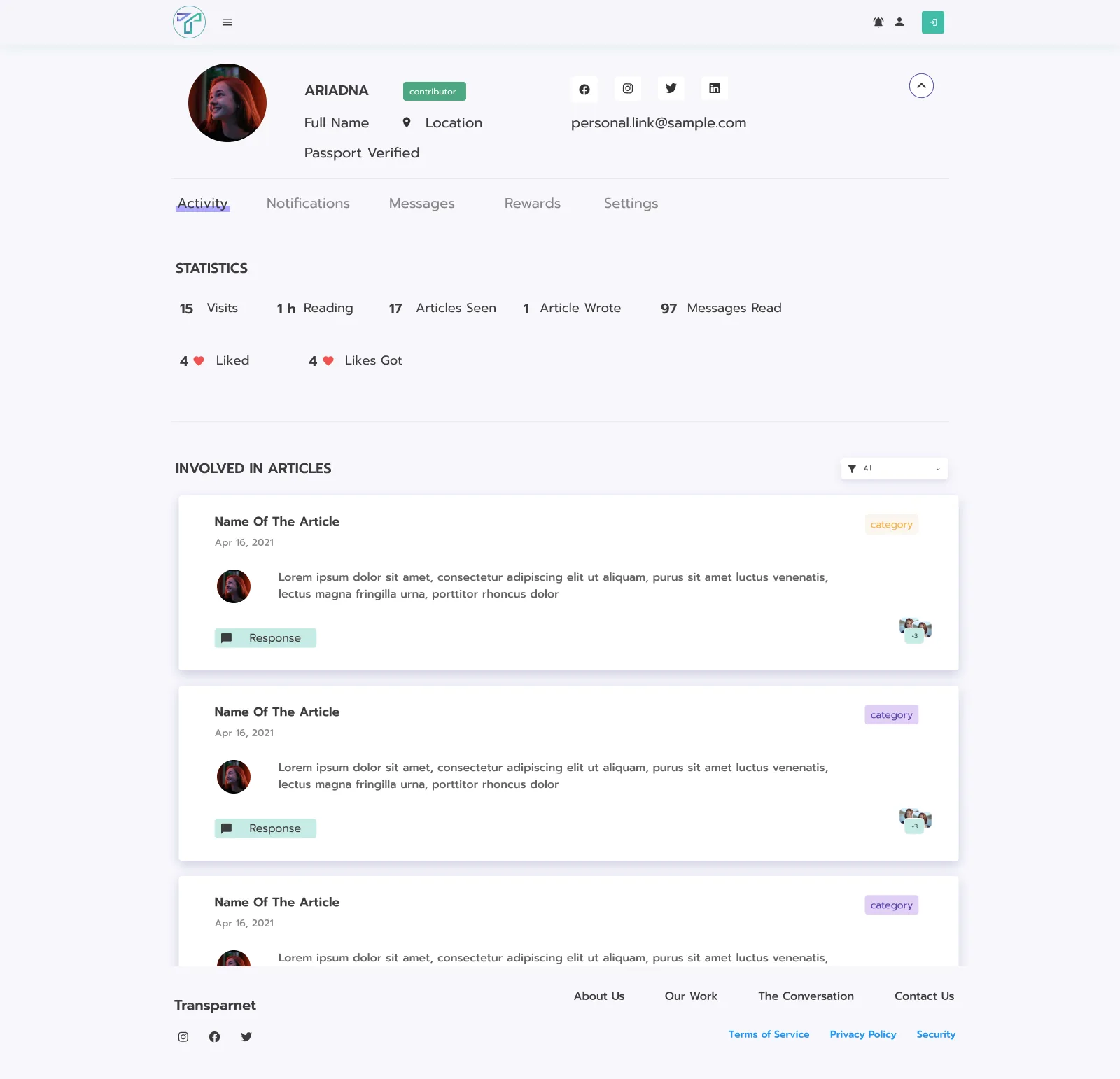
The profile shows how someone contributes, next to a verified identity.

  1. Contributor badge. A role you earn by writing
  2. Passport verified. Identity shown, not just claimed
  3. Everything in tabs. Activity, notifications, messages, rewards and settings
  4. Contribution statistics. Visits, reading time, articles seen and written
  5. Likes both ways. Likes given and received
Transparnet profile for Ariadna: a contributor badge, passport verified, tabs for activity, notifications, messages, rewards and settings, statistics and the articles she was involved in
Portal · Dashboard

A personal home base

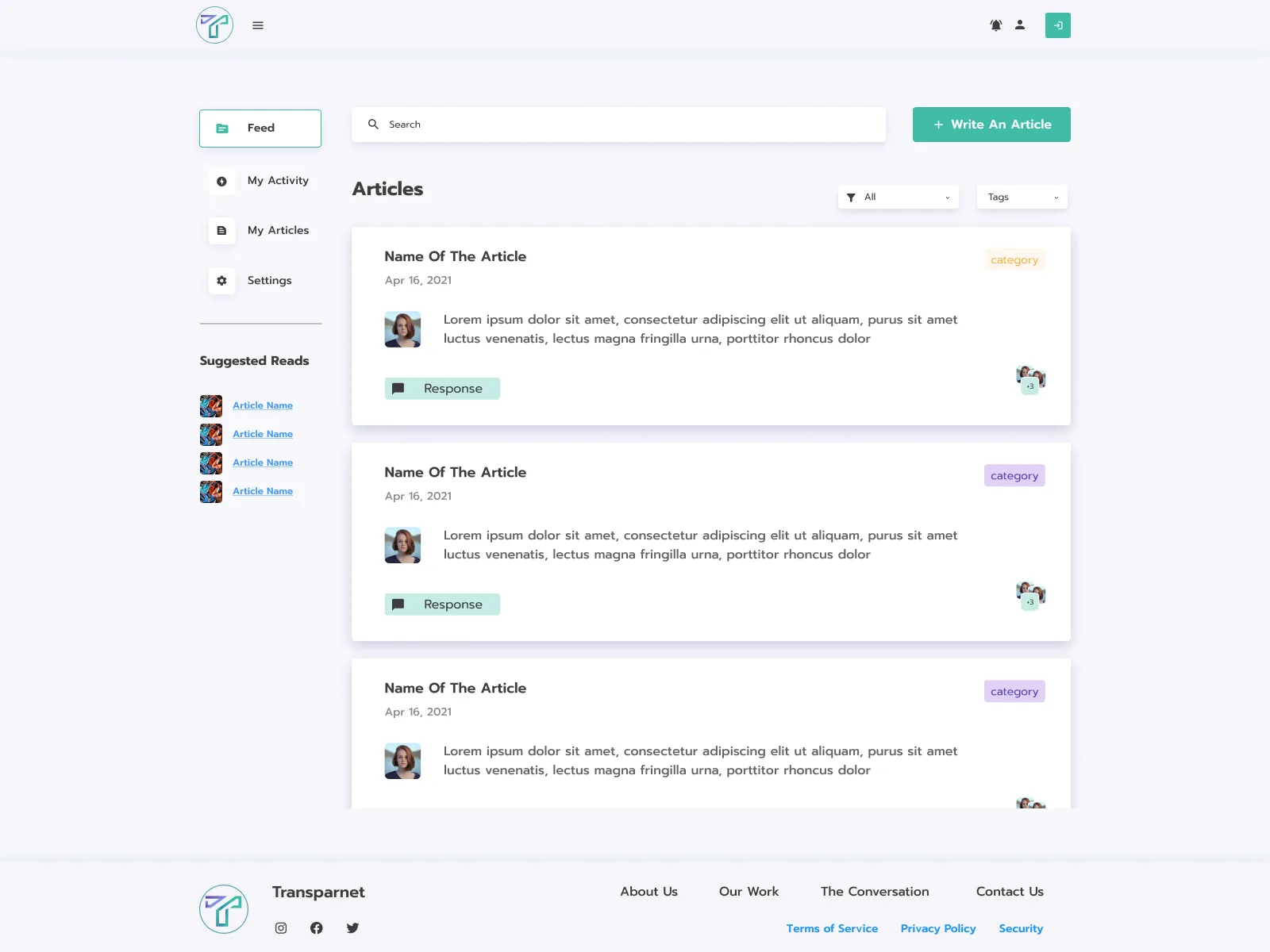
Feed, my activity, my articles and settings sit in a clean sidebar, with a prominent call to write.

  1. Four places to go. Feed, my activity, my articles and settings
  2. A call to contribute. "Write an article" is the strongest button on the page
  3. Filter the feed. By category and by tags
  4. Suggested reads. More to read, without searching
  5. Categories by colour. Each article is tagged at a glance
Transparnet dashboard: a sidebar with Feed, My Activity, My Articles and Settings, suggested reads, a Write An Article button, filters and an article feed with coloured category tags
Portal · Write

An editor as fluid as a modern writing tool

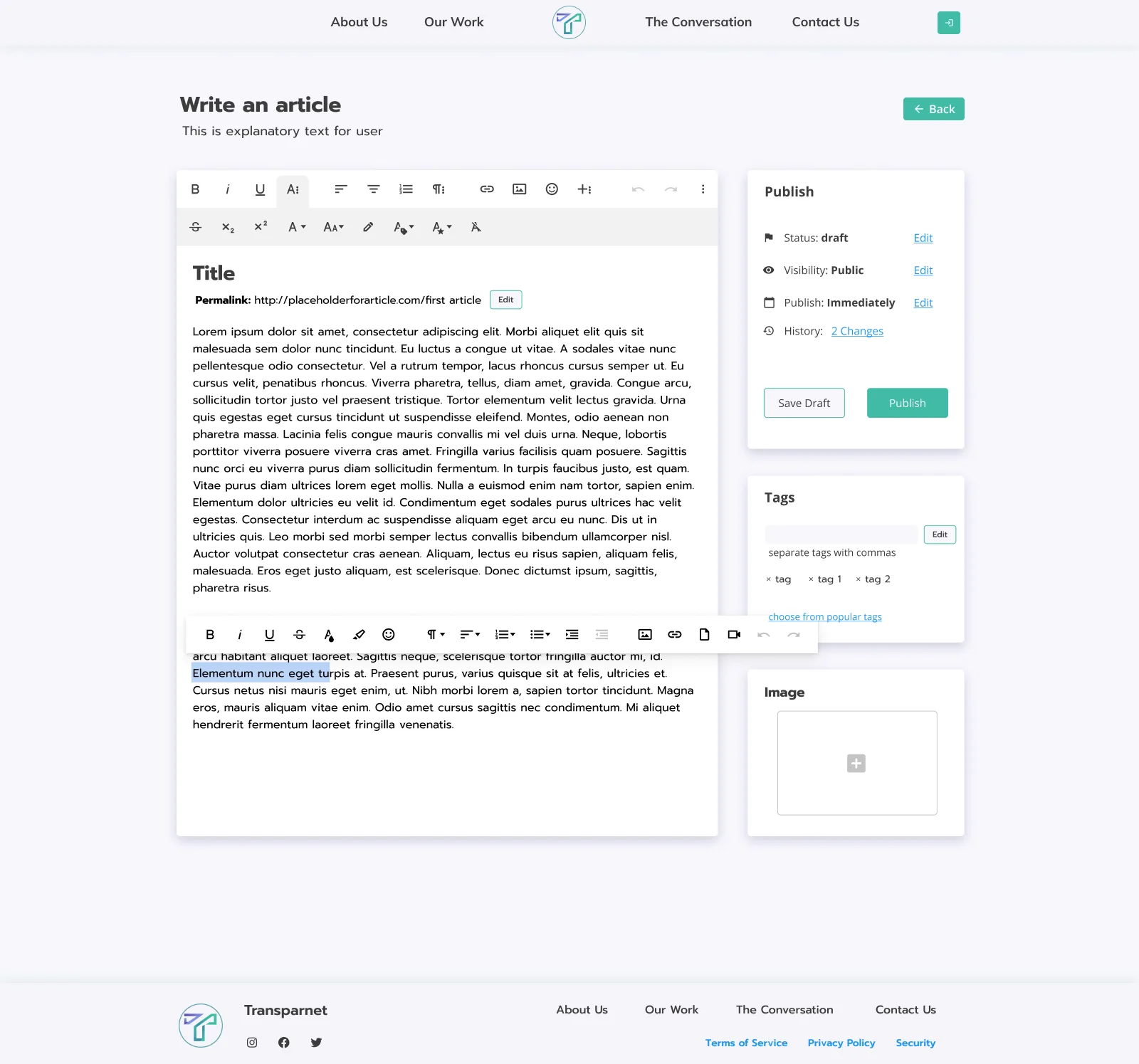
Verified contributors write and publish inside the portal: rich text, inline images, tags and publishing controls in one place.

  1. Full formatting. A rich text toolbar above the article
  2. A clean permalink. Editable before publishing
  3. Publish your way. Draft or public, now or scheduled
  4. History. Every change kept
  5. Tags. Typed in or picked from popular ones
  6. Formatting where you write. An inline toolbar follows the selection
Transparnet article editor: a rich text toolbar, title and permalink, an inline formatting toolbar, and side panels to publish (status, visibility, schedule, history), add tags and an image
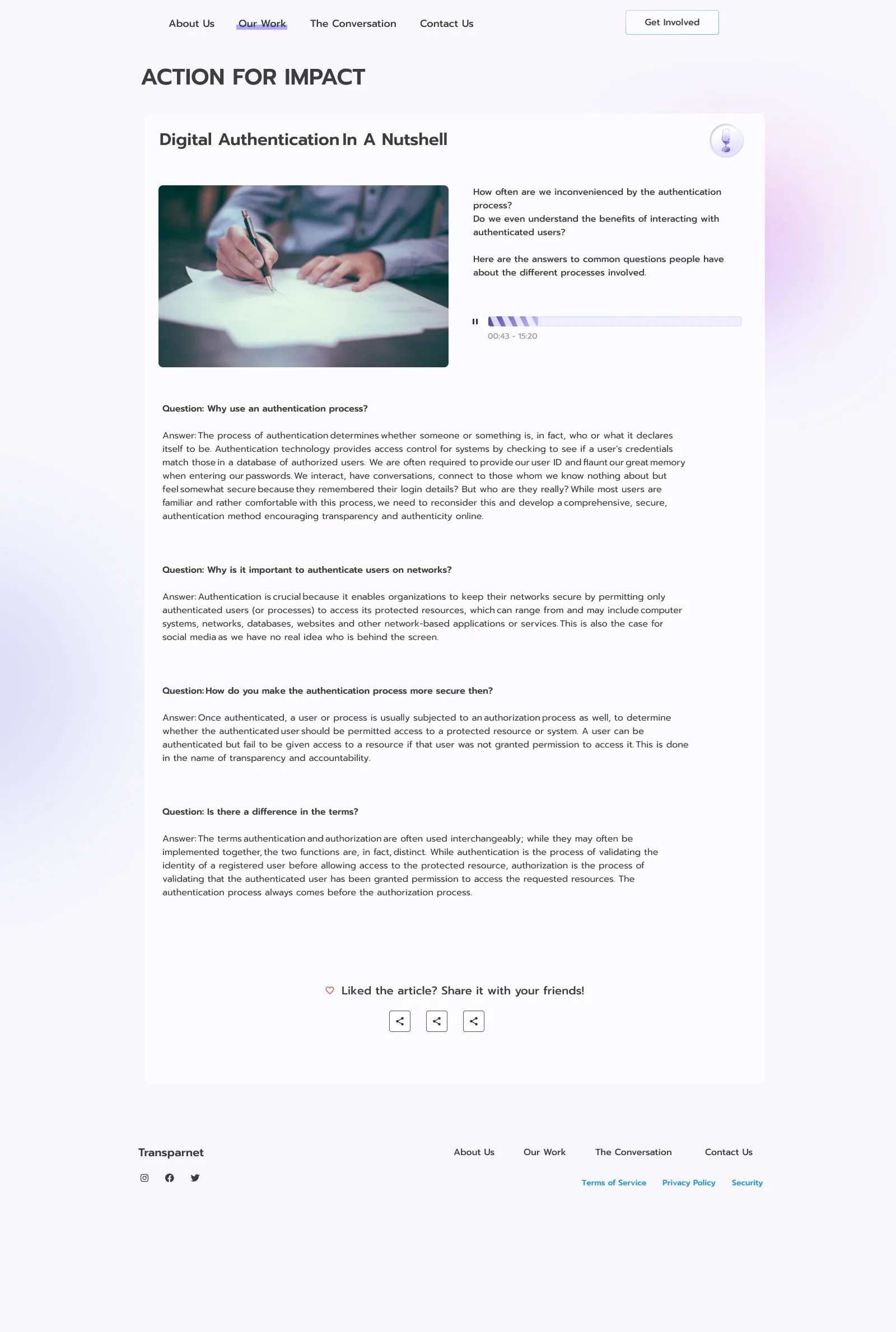
Transparnet published article: Action for Impact, in a Q&A format with an audio player and share actions
Published. "Action for Impact", one of the first live articles: Q&A format, audio player and sharing.

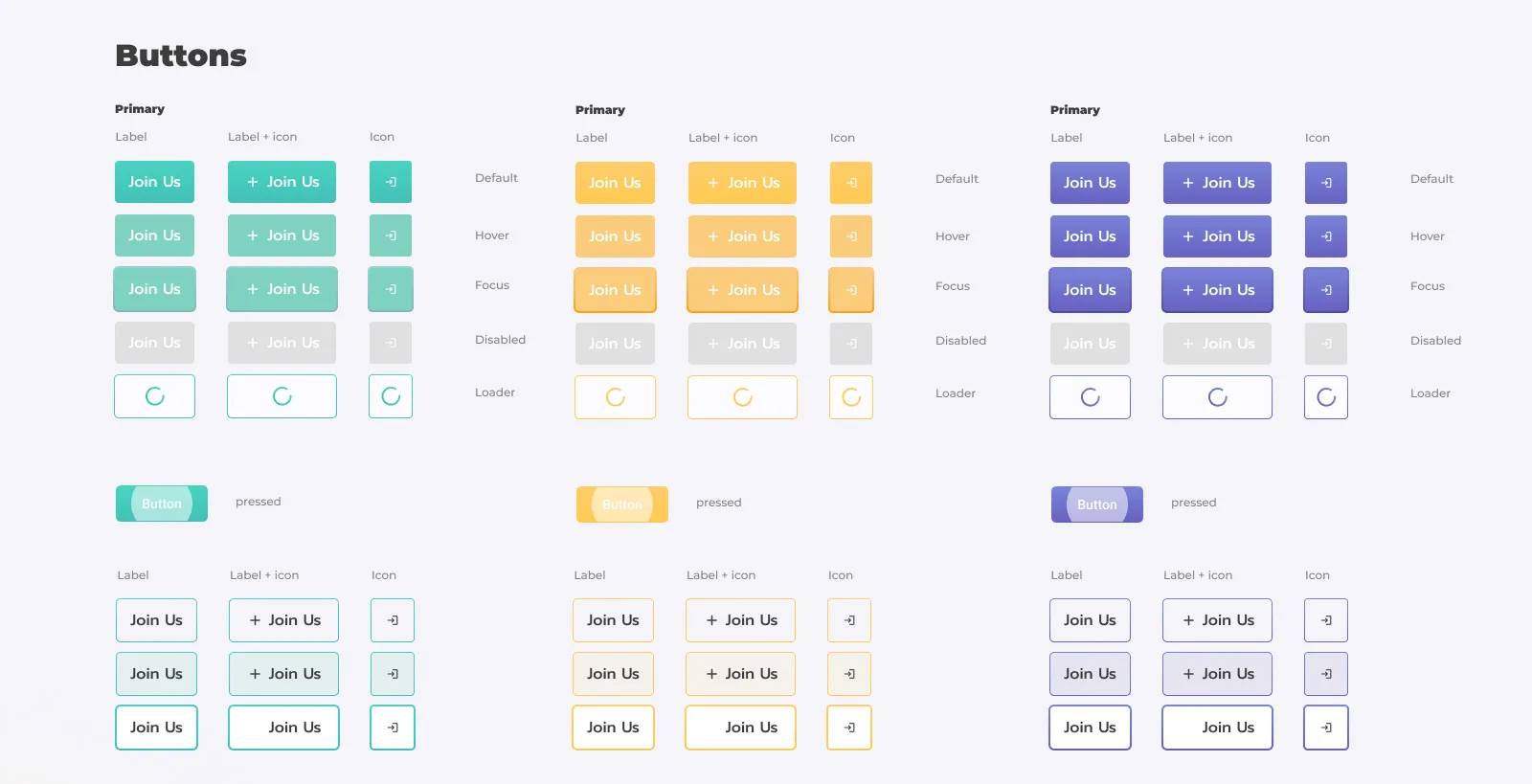
One component library for both stages, with three colour modes that carry meaning.

Teal for primary actions, amber for highlighted and neutral, lavender for the portal. Components adapt across the two experiences without losing coherence. Every button is documented in five states: default, hover, focus, disabled and loading.

Transparnet design system: button components in teal, amber and lavender
Button system. Teal, amber and lavender, with label, label and icon, and icon only, in all five states.
2
Distinct products designed cohesively: a public visit card and a private authenticated portal
0→1
Full brand, platform, and design system built from scratch in a single engagement
3×
Semantic colour modes across one design system (teal, amber and lavender), each carrying distinct meaning
01

The two-stage model is a trust architecture, not just a technical requirement. Separating the public invitation from the authenticated community gave Transparnet a credible way to earn trust before asking for commitment, a pattern that mirrors how civic movements build membership in the physical world.

02

The transition between stages is a design moment in its own right. Moving from the editorial richness of the visit card into the focused clarity of the portal required deliberate visual de-escalation (stripping away photography, simplifying layouts) so users feel they've entered a different, more serious space.

03

Colour carries semantic weight across a two-product system. Using teal, amber, and lavender as contextual signals, not just stylistic choices, allowed both products to share components while maintaining distinct atmospheric identities. Users orient by colour before reading a label.

04

Verification is a UX feature, not a compliance step. Designing passport verification as a visible trust amplifier, showing the "Verified" badge on profiles, created a social incentive for users to complete it voluntarily. Framing accountability as status rather than obligation changes behaviour.