A twin-module platform for smart factories, bridging warehouse logistics and production performance across SKF's global manufacturing network.
Enterprise UXB2B / IndustrialWeb + MobileDesign SystemFigmaSKF Group
Role
UX Lead
Duration
3 yrs 7 mo
Team
2 designers
Client
SKF Group
Platform
Web + Mobile
Tools
Figma
The product and its users
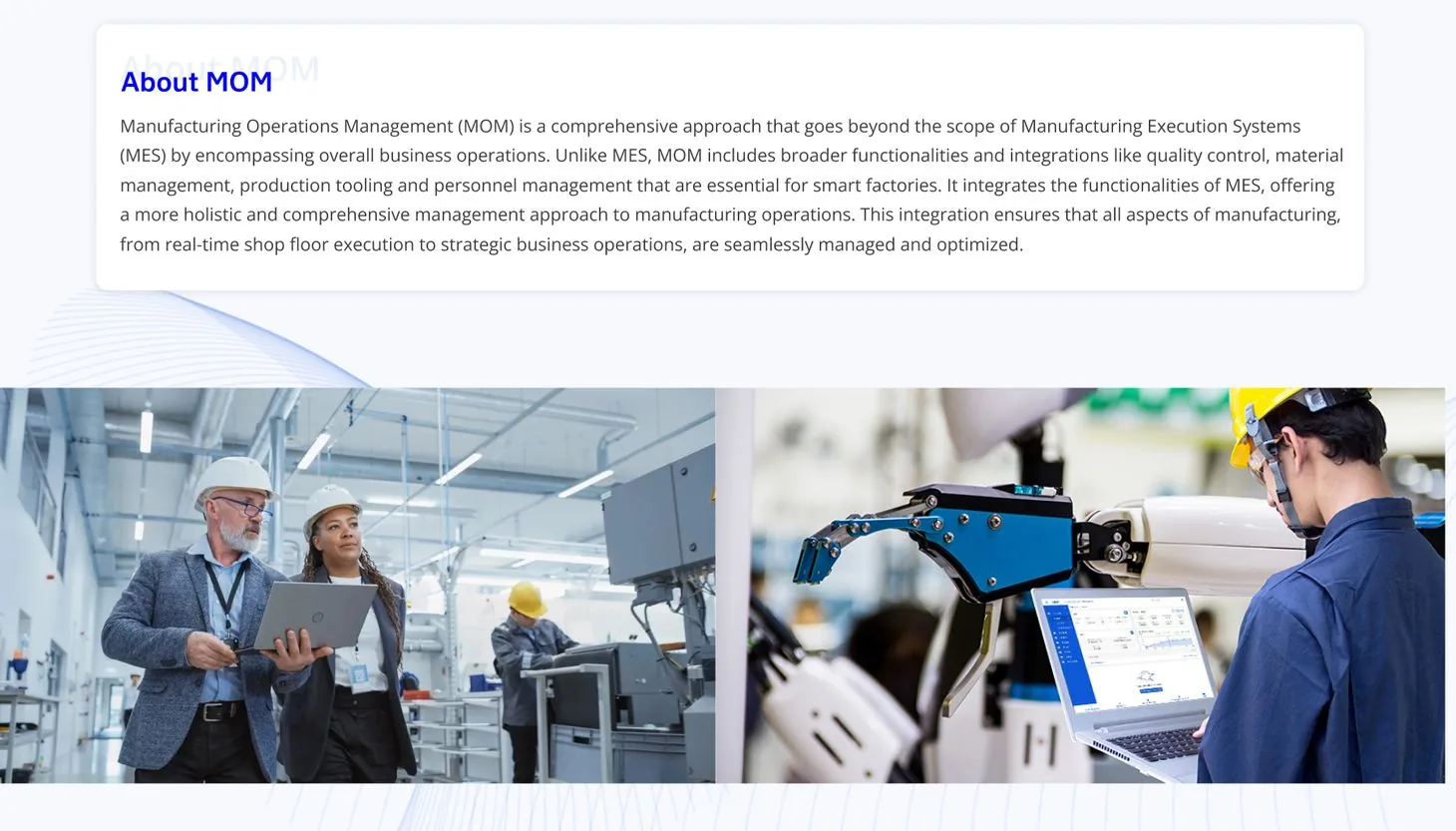
MOM goes beyond MES: quality control, material traceability, production tooling and personnel management in one digital ecosystem, deployed across SKF factories worldwide.
The project delivered two deeply connected modules: FMH (Factory Material Handling), which digitises warehouse logistics, and MPO (Manufacturing Performance Optimization), which lets teams track and reduce production losses in real time.
The goal: a complete digital backbone for factory operations, from the first goods scan at the warehouse dock to the final loss report at the end of a shift.
Operator
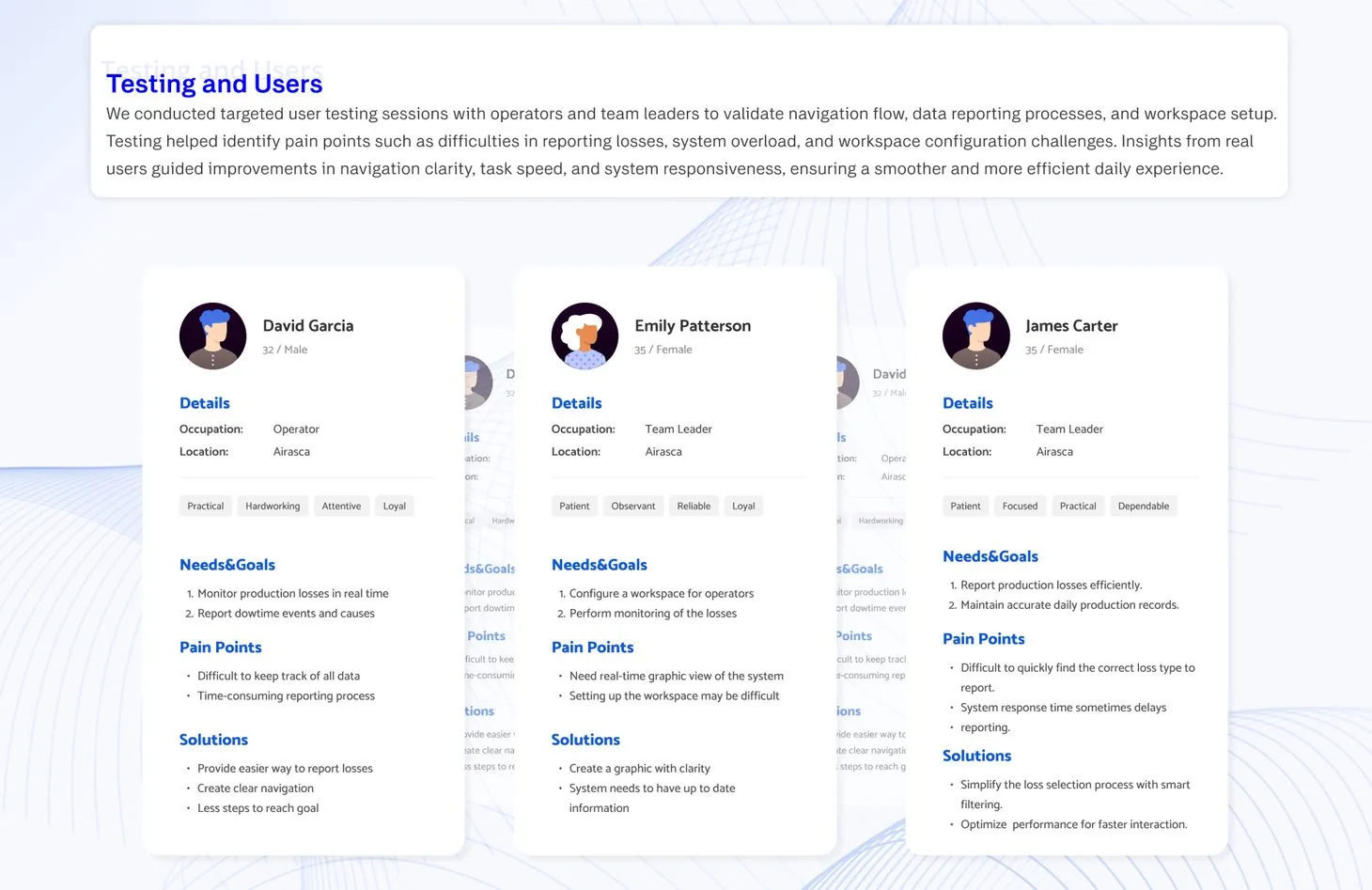
Needs to monitor losses in real time and report downtime with its causes. Reporting took too long, and the data was hard to keep track of.
Team leader, workspace
Configures the workspace for operators and monitors losses. Missed a real-time visual view; setting up the workspace was difficult.
Team leader, reporting
Reports losses and keeps daily production records accurate. Finding the right loss type was slow, and system delays held reporting up.
Design challenges
Both systems dealt with dense, data-heavy industrial processes. They had to feel fast, reliable and effortless for people working under real factory conditions.
Simplifying complex industrial workflows
Material traceability, loss reporting and shift planning are dense processes. The flows had to make complex tasks feel manageable and efficient.
Fast, accurate input under pressure
Users worked in time-sensitive environments, entering and tracking data quickly without mistakes. Reducing cognitive load on repetitive tasks was key.
Consistency across diverse users
From warehouse staff to production analysts, many roles used the systems. The interfaces had to work for all of them: clear, reliable and consistent.
Users & research
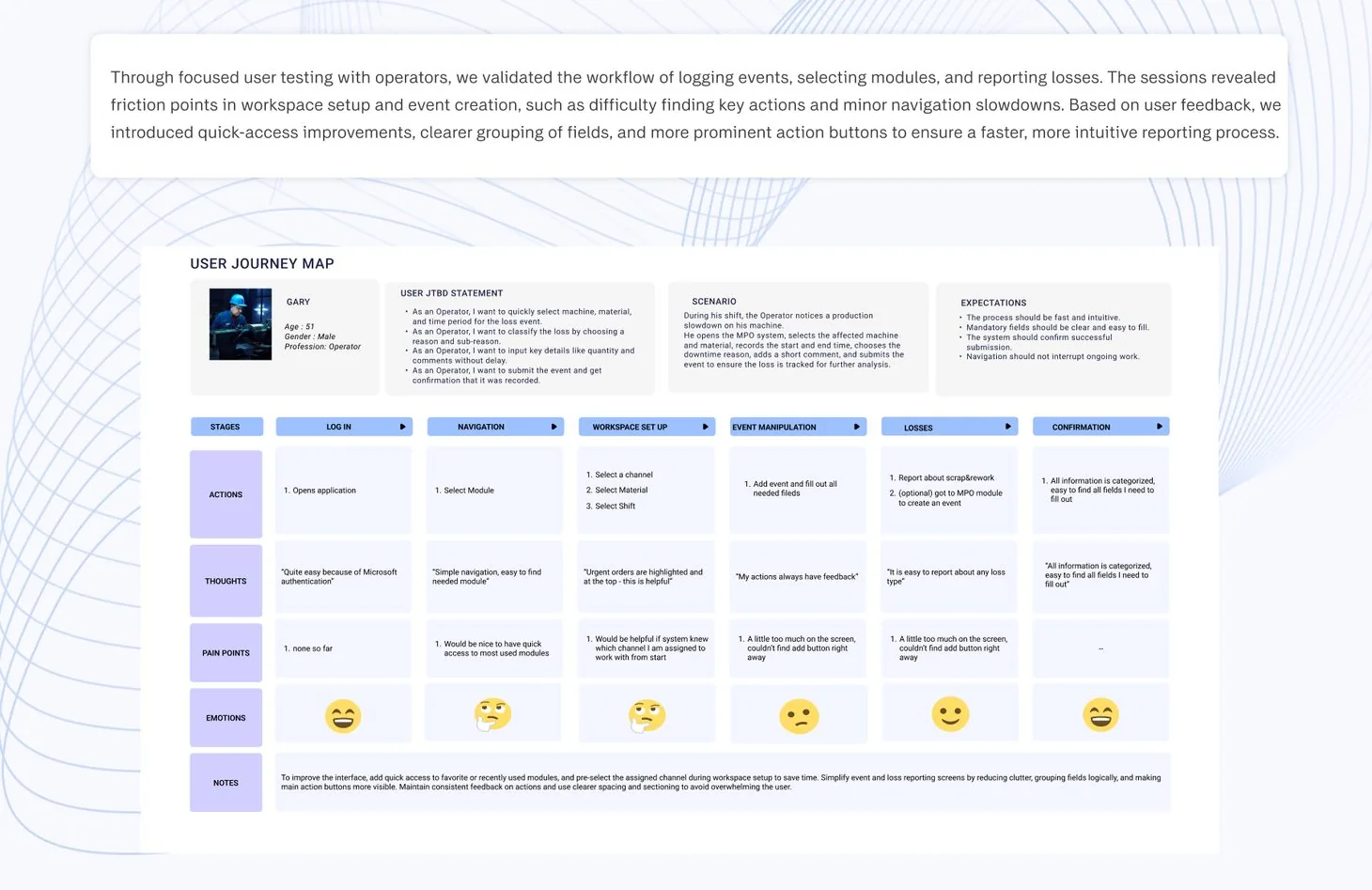
Testing with operators and team leaders validated the navigation, the reporting flow and the workspace setup.
It surfaced pain points around loss reporting, system overload and workspace configuration. Those insights shaped navigation clarity, task speed and system responsiveness.
Three roles. An operator and two team leaders, with their needs, pain points and solutions.
User journey map. Validated in focused testing sessions with operators on the factory floor.
From the dock to the shift report
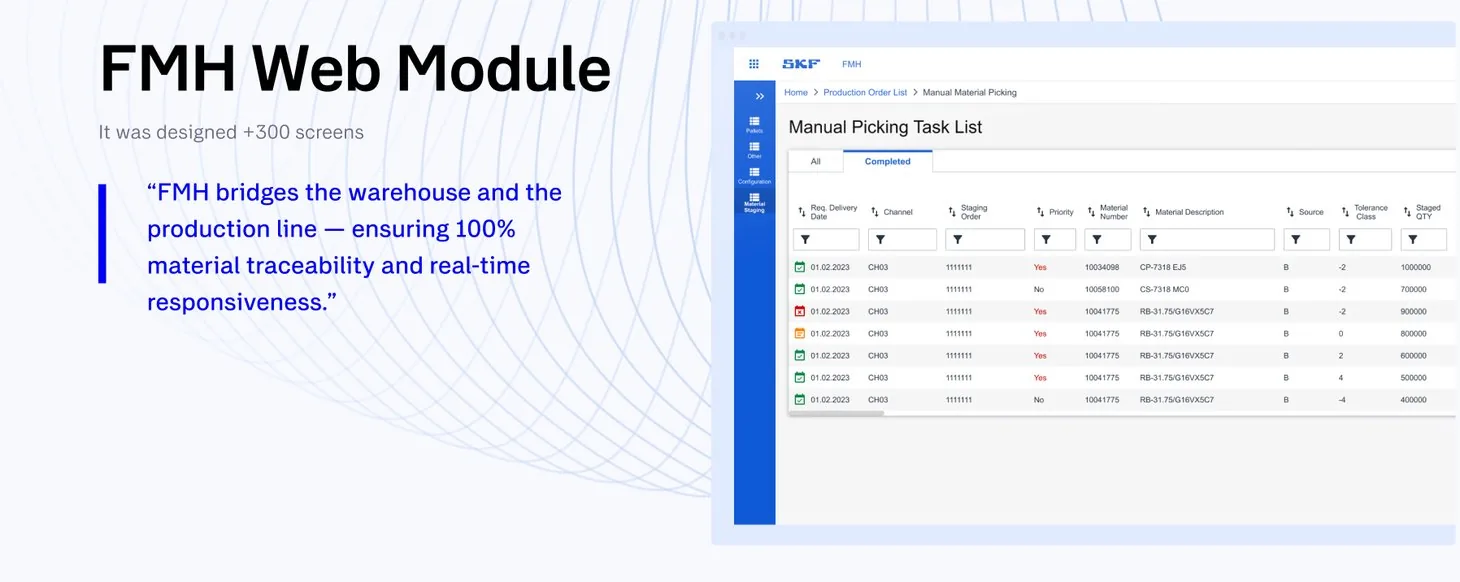
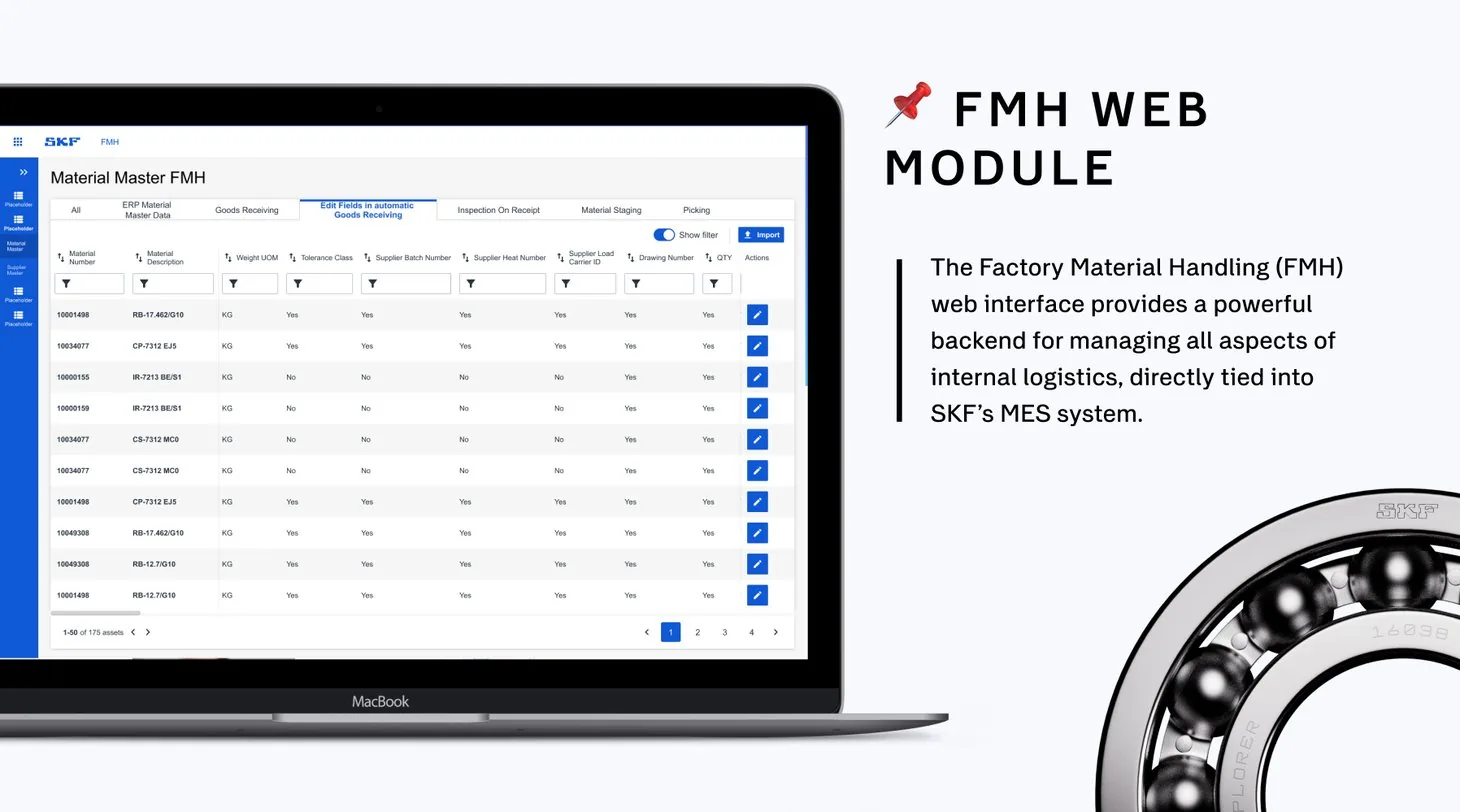
FMH is a dual-platform solution: a web interface for supervisors and management, and a mobile scanner app for warehouse clerks. Designed across 300+ screens, it bridges the warehouse and the production line with 100% material traceability. MPO then turns every lost minute on the line into a reason.
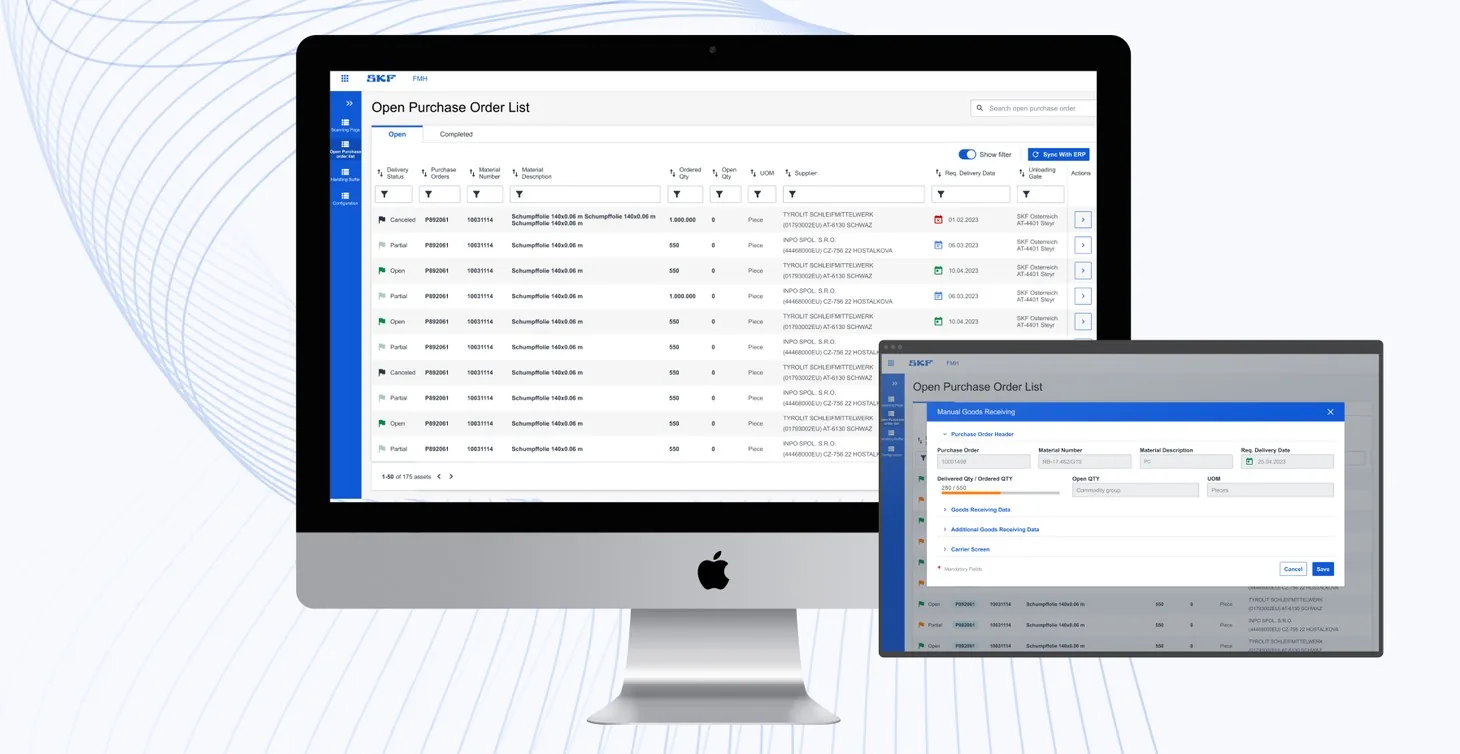
The manual picking task list is where supervisors follow material moving to the line, from delivery date to staged quantity.
All or completed. Two tabs separate open work from what is done.
Every column filters. Narrow the list by channel, material or priority.
Status first. A coloured icon opens every row.
Priority stands out. Urgent tasks are marked in red.
1234
FMH · Warehouse tools
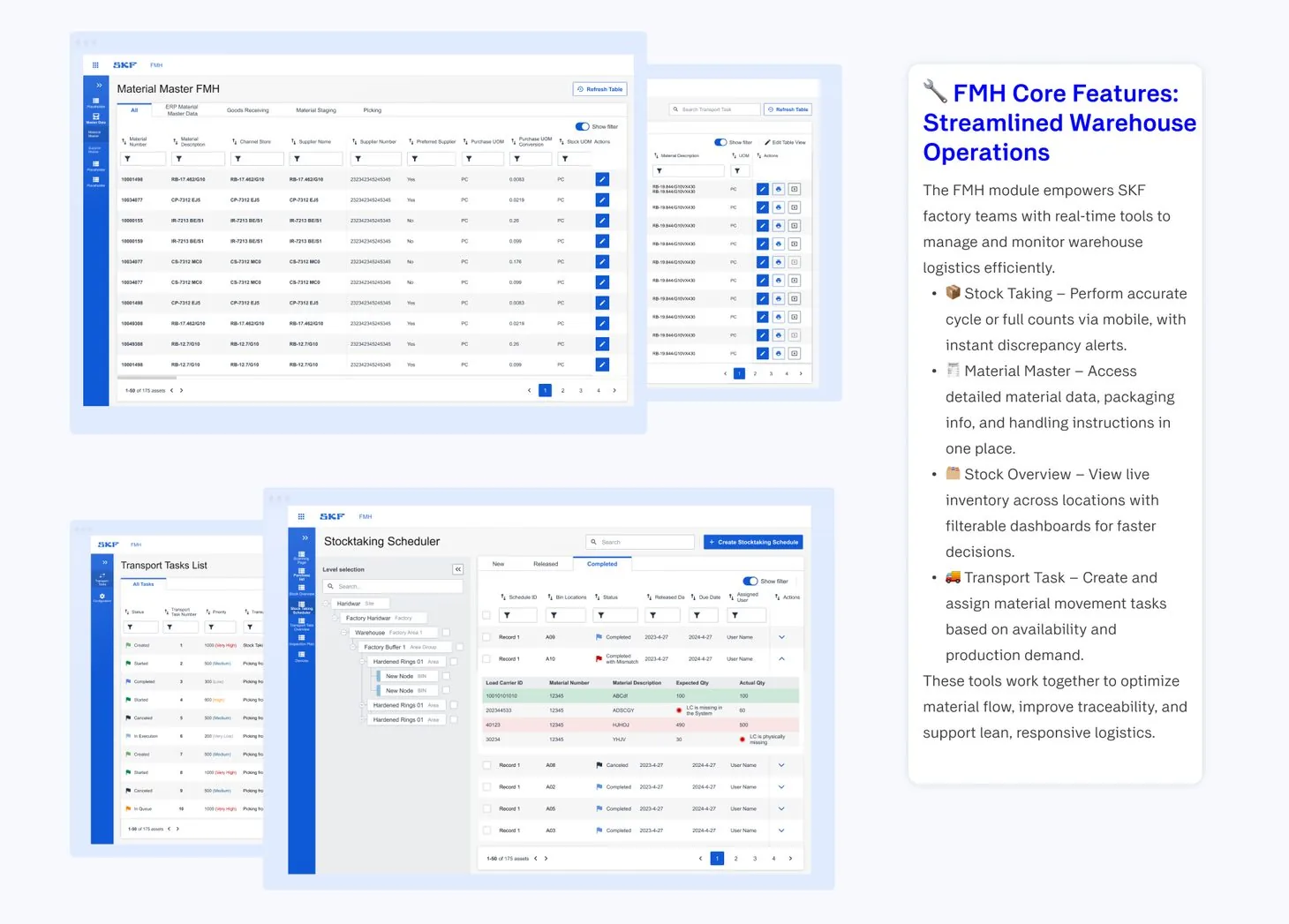
Real-time tools for factory logistics
Material data, transport tasks and stock counts in one module, so the warehouse and the line work from the same numbers.
Material master. Material data, packaging and handling instructions in one place.
Transport tasks. Material movements created and assigned by availability and demand.
Stocktaking by location. Counts scheduled from factory down to buffer level.
Discrepancies flagged. Missing carriers are called out right in the results.
1234
FMH · Mobile scanner app
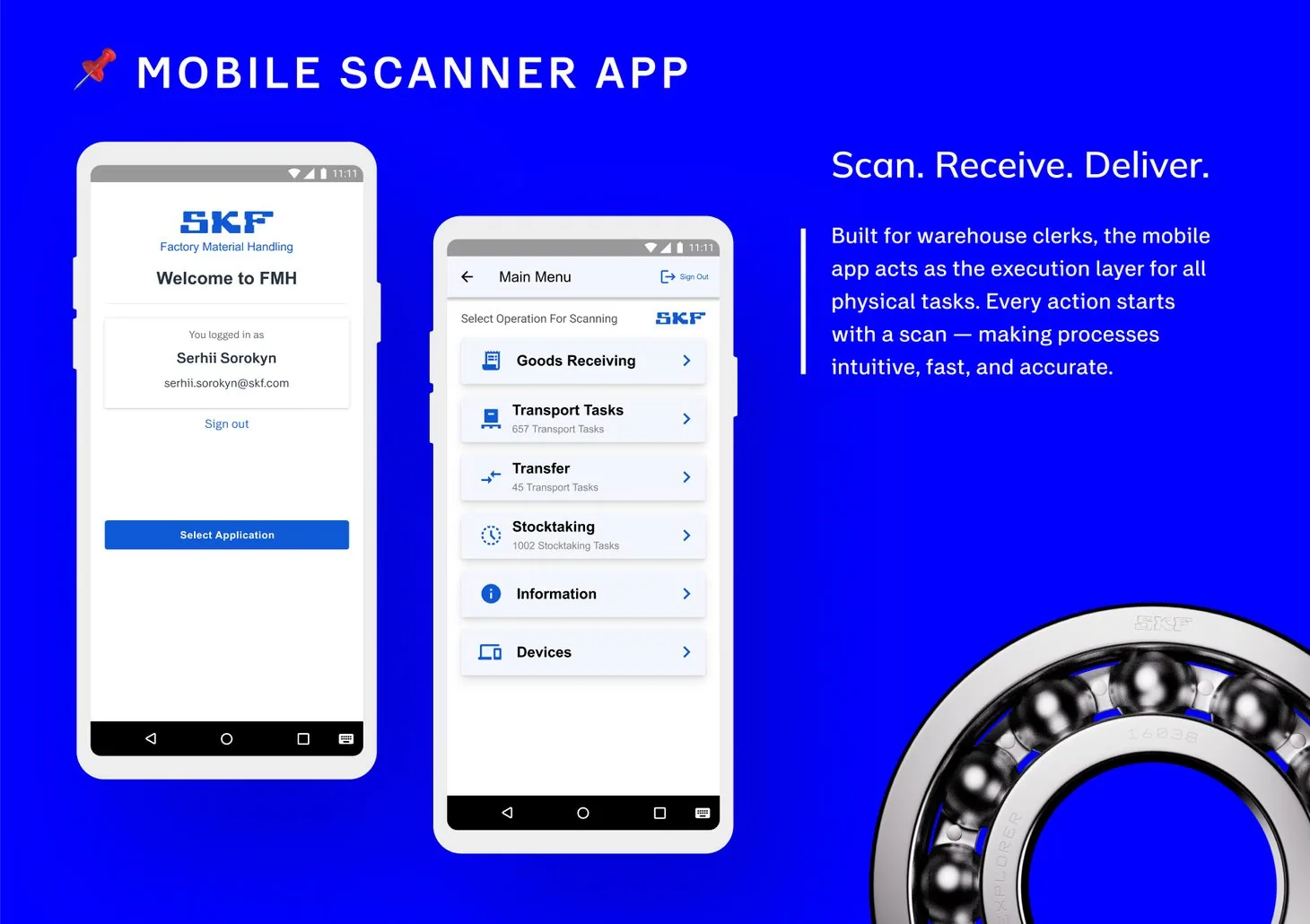
Scan. Receive. Deliver.
Built for warehouse clerks, the app is the execution layer for every physical task. Each action starts with a scan of a Load Carrier Label (LCL), which ties it to a specific shipment or container and removes manual entry errors.
Who is scanning. The clerk signs in and picks the application.
One operation per scan. Goods receiving, transport, transfer or stocktaking.
Open work counted. Each operation shows how many tasks are waiting.
123
MPO · Losses
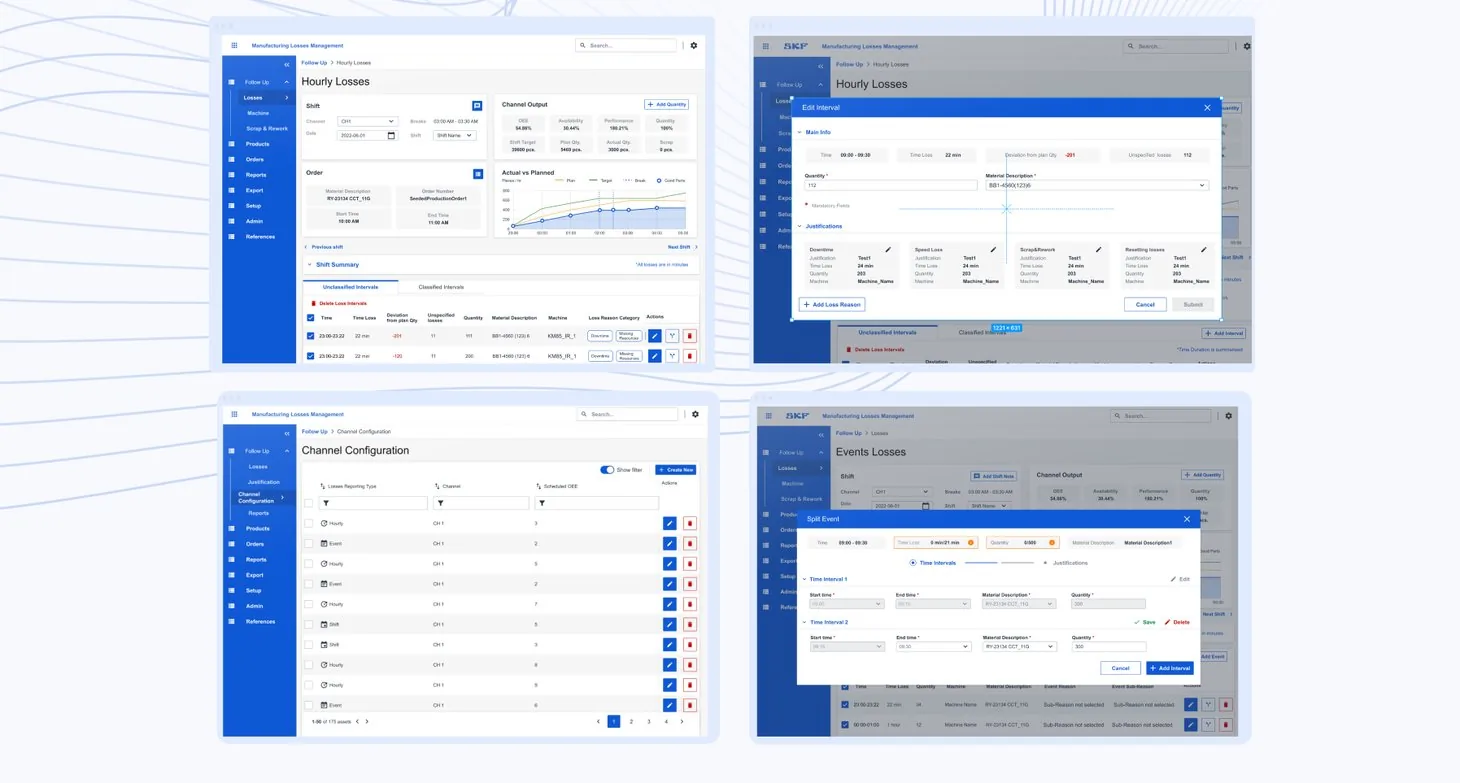
Turn lost minutes into reasons
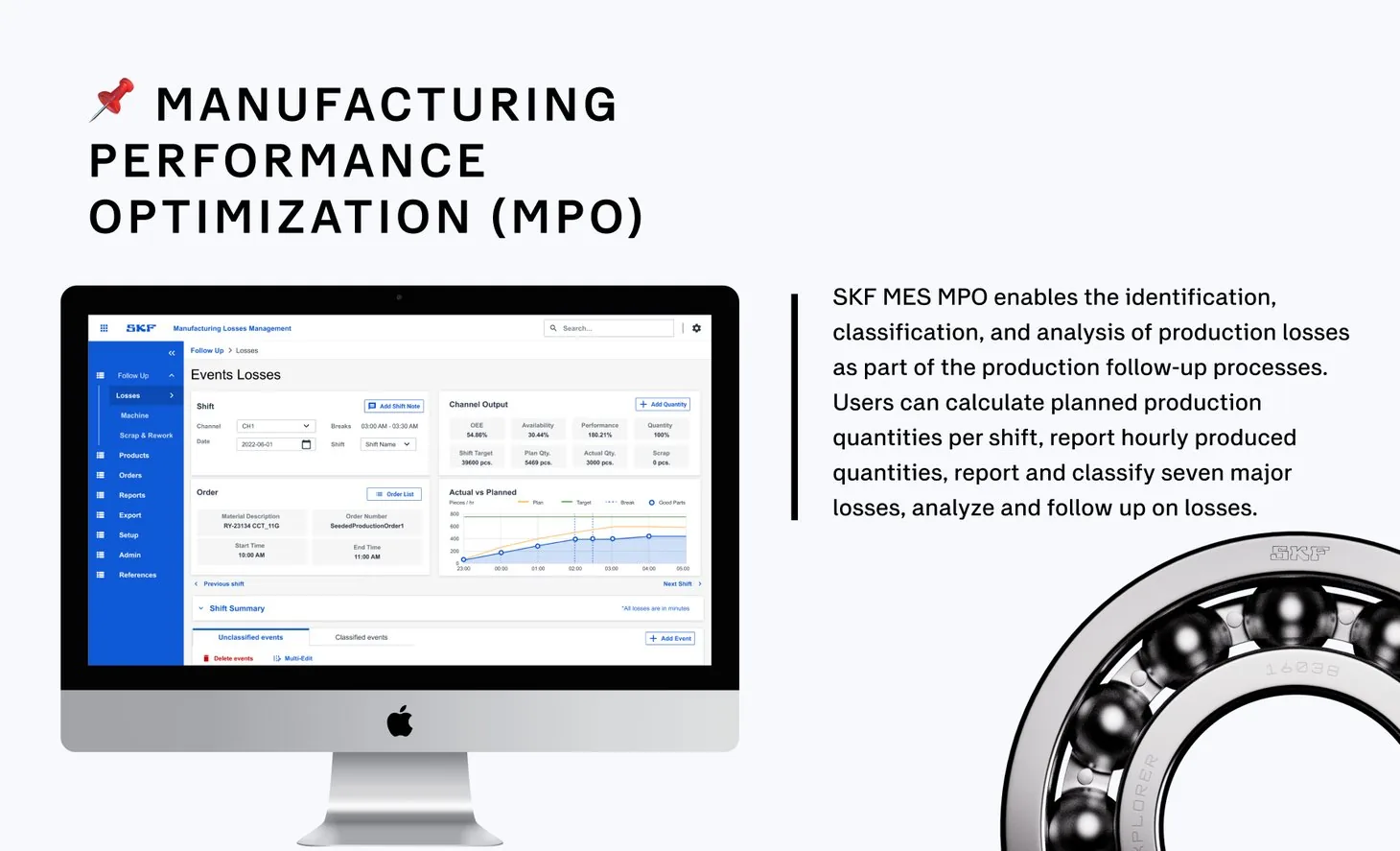
Operators log hourly output, classify losses against seven predefined categories and produce structured shift reports, so supervisors see production performance in real time.
OEE first. Availability, performance and quality lead every shift.
Output against target. Hour by hour, on one chart.
Losses wait for a category. Unclassified intervals stay listed until someone explains them.
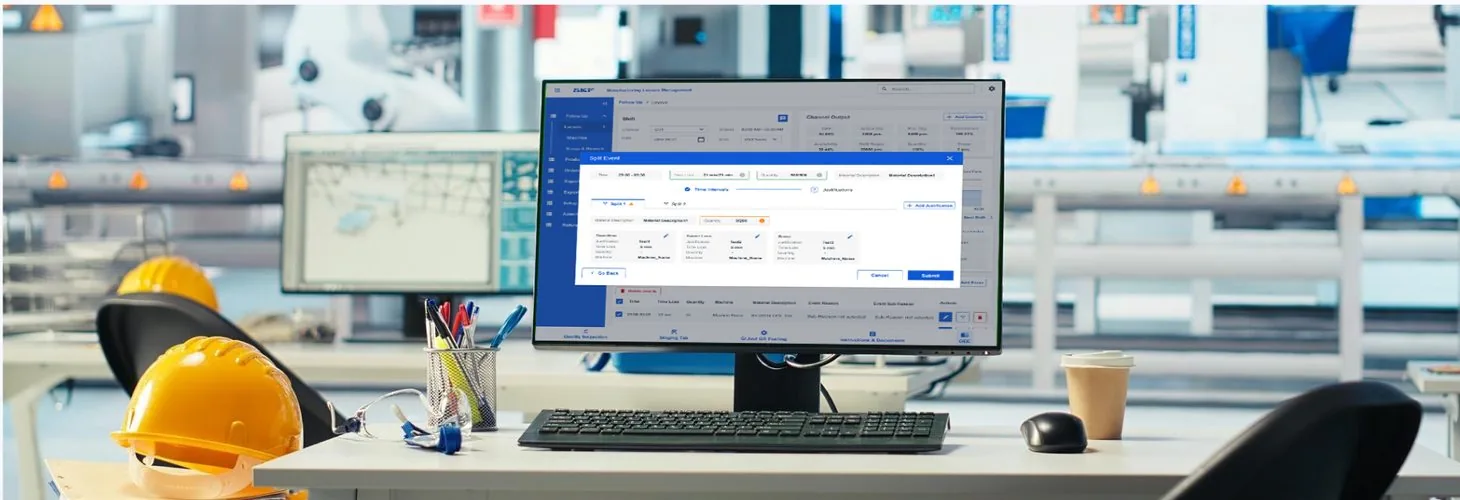
Justify a loss. Downtime, speed loss, scrap and rework each get a reason.
Reporting per channel. Hourly, by event or by shift.
12345
FMH web. Material master on a laptop.
MPO. Shift follow-up on the desktop.
In the field
MPO is fully integrated with FMH: a feedback loop between material flow and production performance.
Together, they form a complete digital foundation for smart manufacturing at SKF, connecting every action from the warehouse dock to the shift report.
Faster response to unexpected production losses
Higher accuracy in production and shift reporting
Better collaboration and handover between shifts
Data-driven decisions made directly on the floor
Deployed. Live at SKF production facilities worldwide.
Reflections & learnings
Designing MOM alongside MES for the same client deepened my understanding of how interconnected systems need to share a design language while solving fundamentally different problems. FMH and MPO each had their own users, rhythms, and pressures, and getting the details right for each required both precision and empathy.
01
Physical context shapes digital design. Designing for factory environments (with noise, protective gloves, time pressure, and shift handovers) demanded decisions you rarely consider in office-based software. Every tap target, every label, every confirmation step carries real-world weight.
02
Sibling products need a shared language. FMH and MPO are different tools with different users, but they live in the same ecosystem. Ensuring visual and interaction consistency across both, without making them feel identical, was one of the most nuanced design challenges of the project.
03
User testing in the field is irreplaceable. Insights from operators on the factory floor consistently revealed pain points that no amount of desk research would have surfaced, from navigation clarity under shift pressure to how loss types are mentally categorised by different roles.
04
Mobile and web are not the same problem. The FMH mobile scanner app and web module served different workflows and mindsets. Designing both, with a unified brand but distinct interaction models, reinforced that platform matters as much as feature set.