Case study by Yana Yeromina · 2020

IAMTHE
Restaurant App

A mobile food-discovery and delivery app for a Ukrainian restaurant, designed end-to-end from wireframes to a polished UI system. Find that same taste.

Mobile App iOS & Android Food & Delivery UI/UX Design Figma
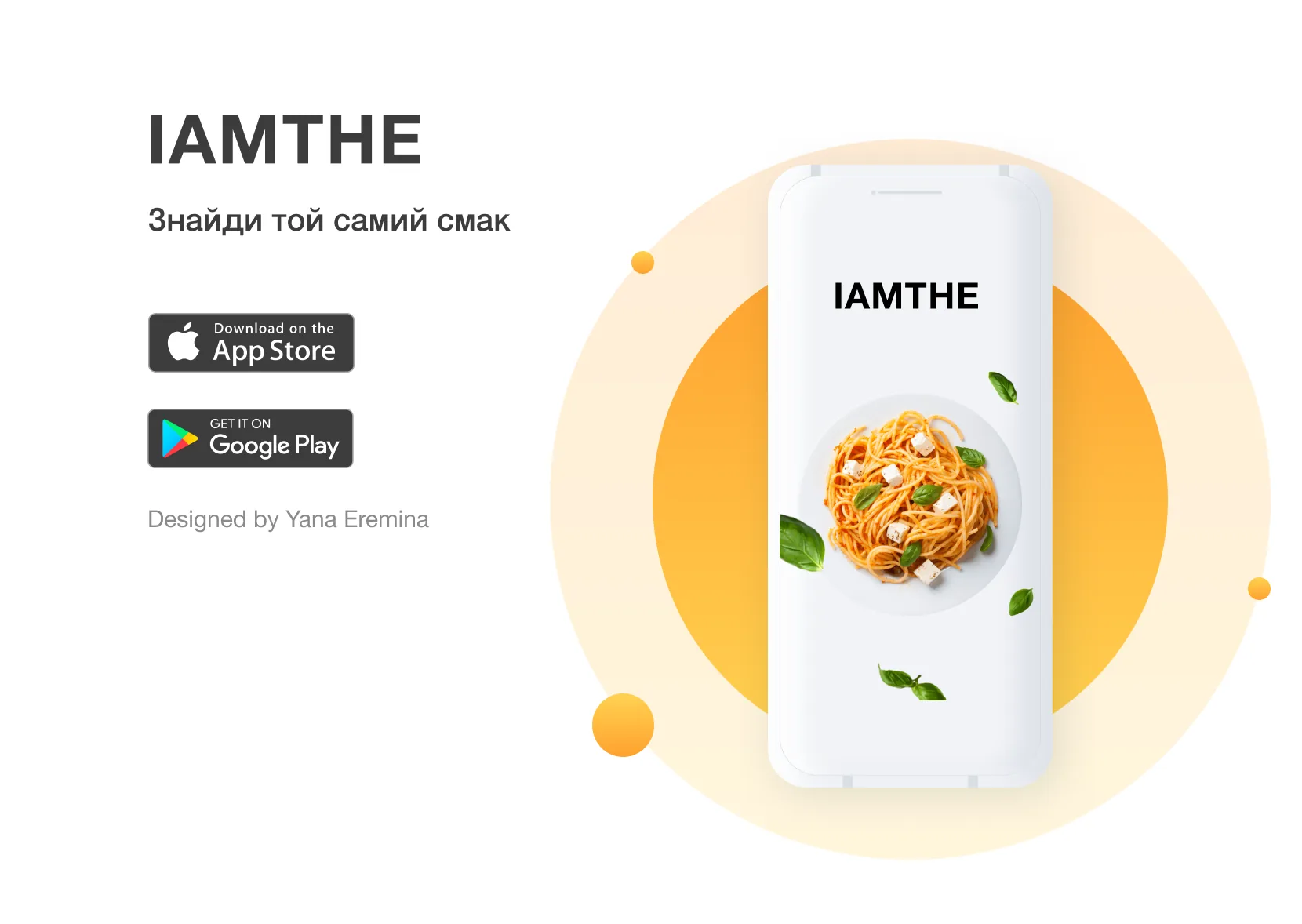
IAMTHE hero
Role
UI/UX Designer
Year
2020
Platform
iOS & Android
Tools
Figma

IAMTHE lets restaurant guests discover, customise and order dishes right from their phone, from first launch to the review after delivery.

The name plays on personalisation, "I am the…", inviting guests to complete their own culinary identity. The Ukrainian tagline «Знайди той самий смак» ("Find that same taste") captures the emotional core of the product.

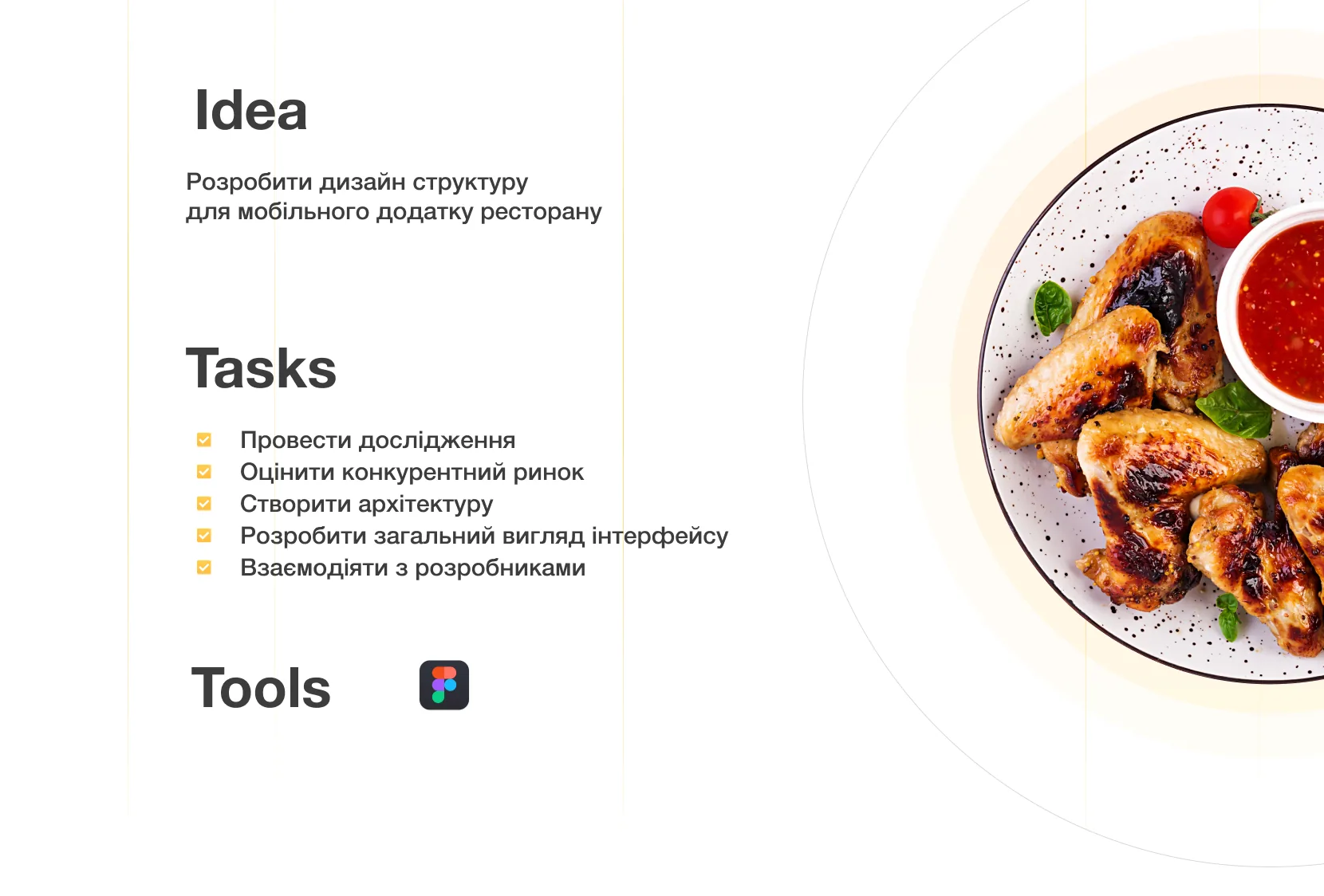
The brief: design the full UX structure for a restaurant's mobile presence, from research and architecture to the UI system and the developer handoff in Figma.

What I did

  • Competitive research and user analysis
  • An assessment of the market landscape
  • Information architecture and navigation
  • The complete UI and interface system
  • A Figma handoff for developers
Project idea and brief: scope, tasks and tools
The brief. Scope, tasks and tools.

Five sections behind one bottom bar: Home, Favourites, Cart, Order history and Profile.

Across these flows, every touchpoint was mapped and designed: browsing, ordering, tracking and reviewing.

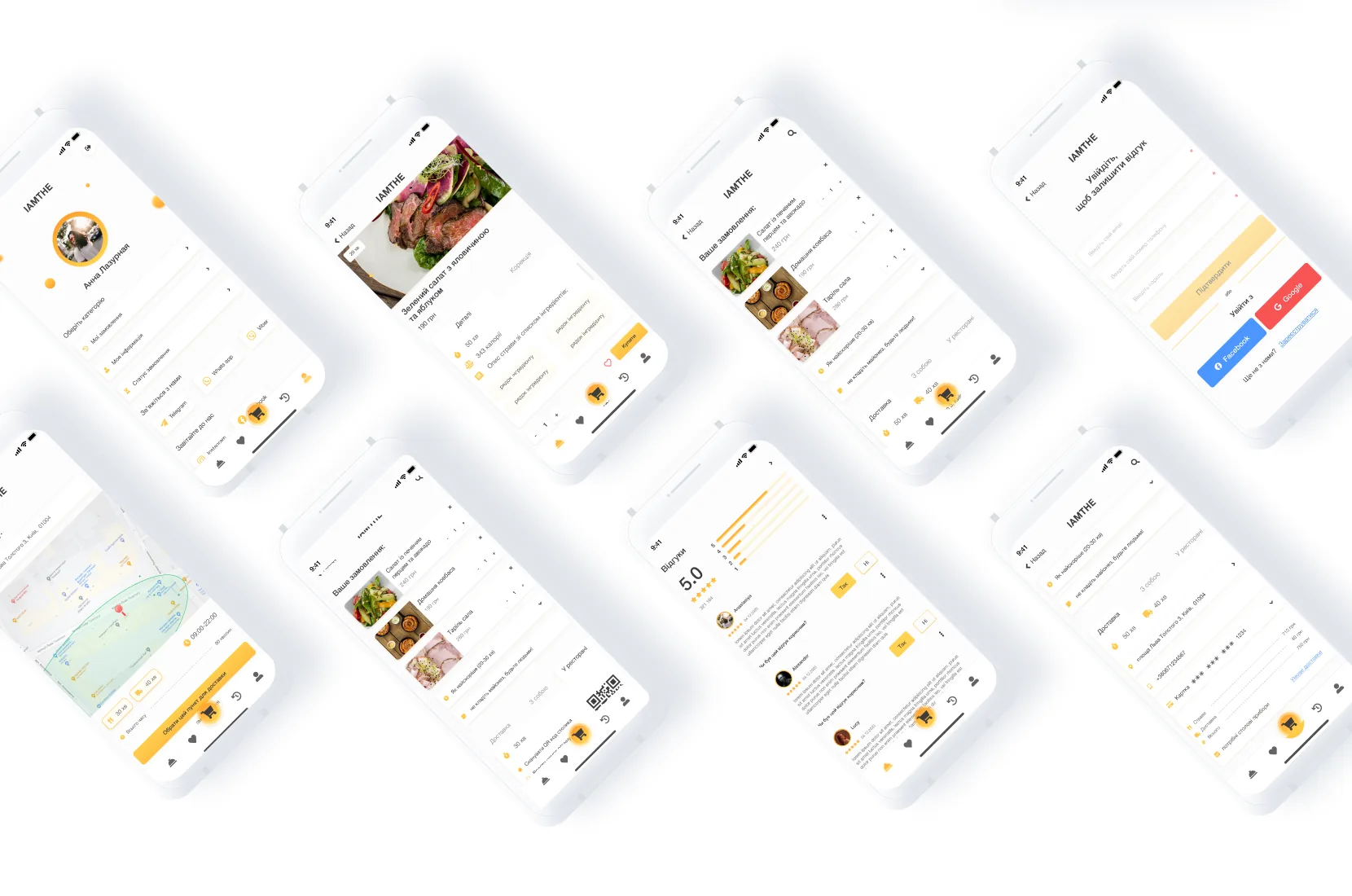
All app screens overview: twelve key UI states
Screen map. Twelve key UI states across the app.

From signing in to the moment the courier arrives, with the screens for when something goes wrong.

Step 1 · Sign in

Fast to start, flexible to finish

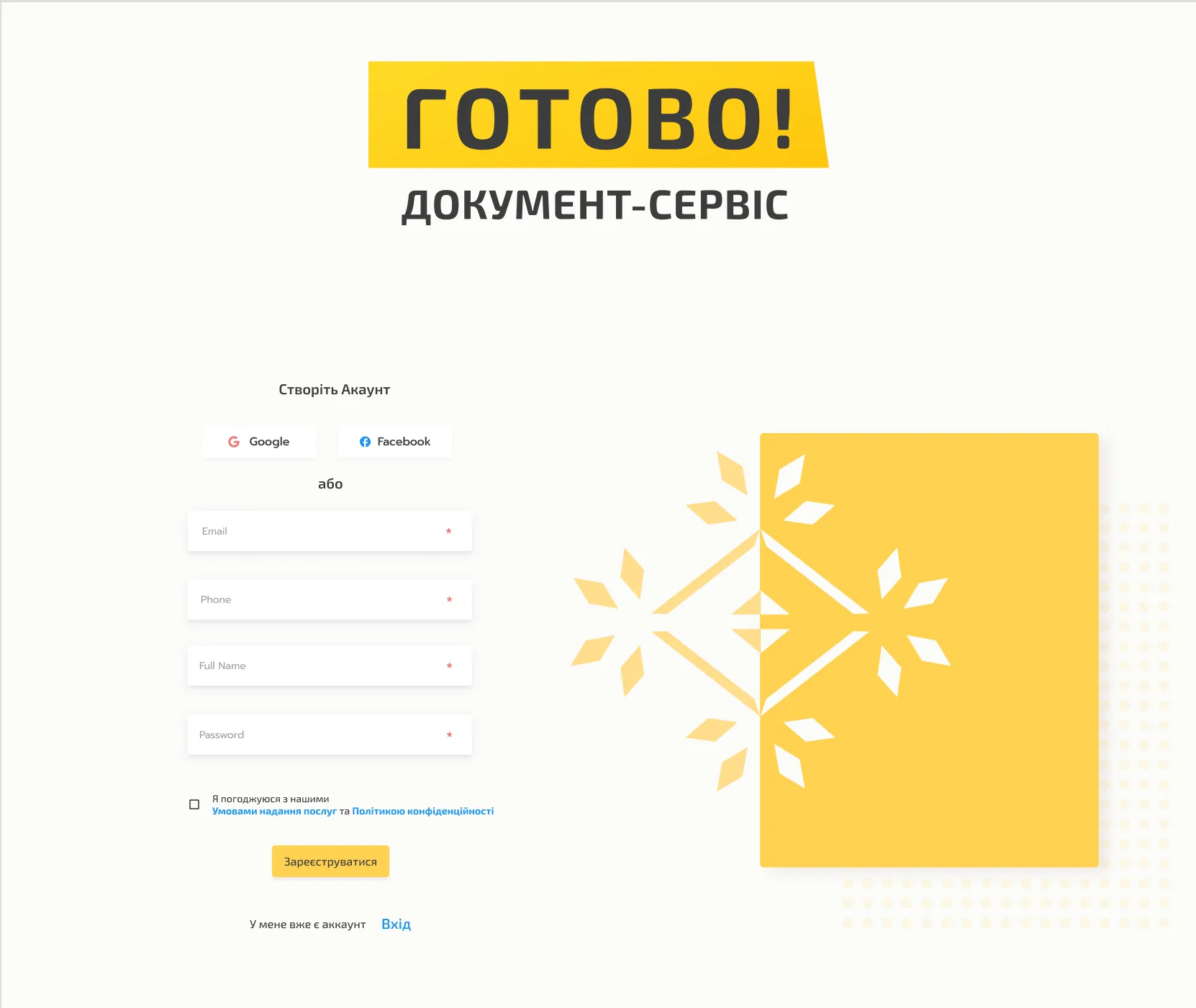
The auth flow is built for speed. Guests choose email or phone, or sign in with Facebook or Google. Registration confirms the phone number by SMS before the account is created.

  1. Email or phone. Two equal ways in.
  2. Social sign-in. Facebook and Google as quick alternatives.
  3. Later is allowed. Guests can skip and browse first.
  4. Code by SMS. The number is verified during registration.
  5. A visible countdown. Guests see when they can ask for a new code.
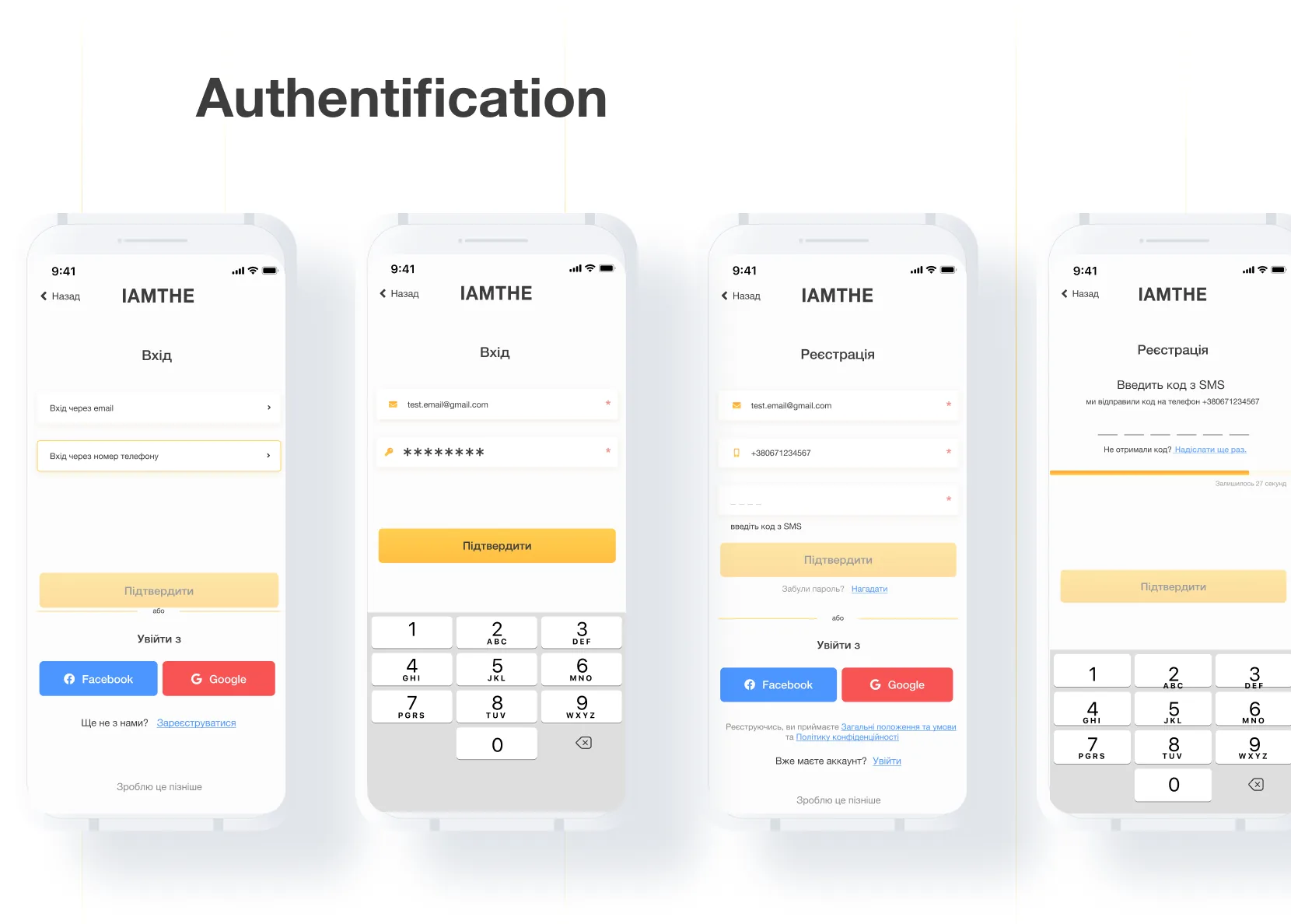
Authentication in four screens: login with email or phone and social sign-in, login with credentials, registration with an SMS code field, and SMS verification with a countdown
Step 2 · Choose & customise

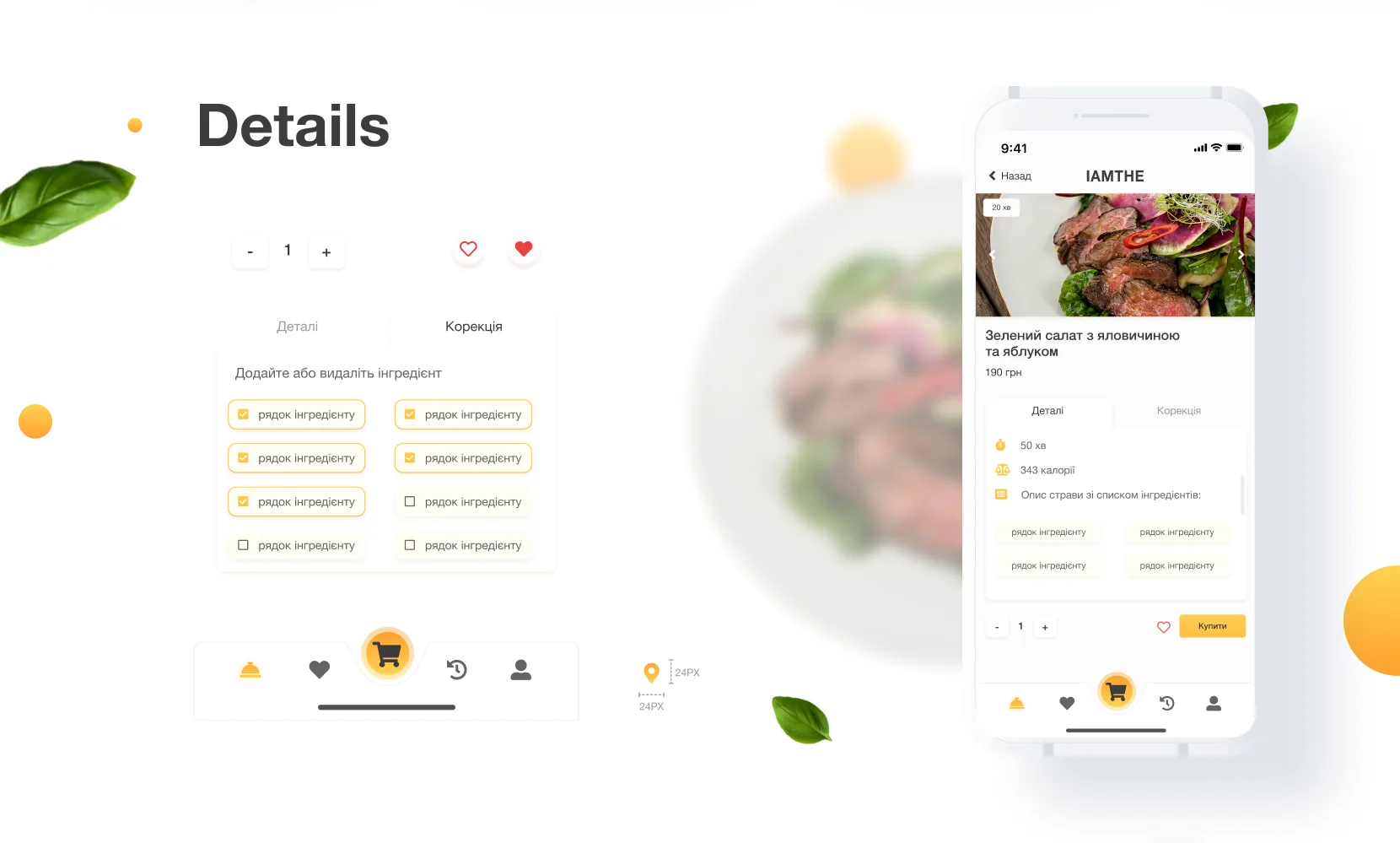
Everything about a dish before you order it

Each dish has a hero photo, prep time, calorie count and full ingredient list. A dedicated Correction tab lets guests add or remove ingredients before ordering.

  1. Quantity and favourite. Two controls, no extra screen.
  2. Correction tab. Add or remove single ingredients.
  3. The facts that decide. Prep time, calories and ingredients.
  4. One amber action. The buy button is the brightest thing on screen.
  5. The cart at the centre. It sits in the middle of the bottom bar.
Dish details: quantity and favourite controls, a Correction tab with ingredient checkboxes, and a dish screen with photo, prep time, calories, ingredients and an amber Buy button above the bottom bar
Step 3 · Track & review

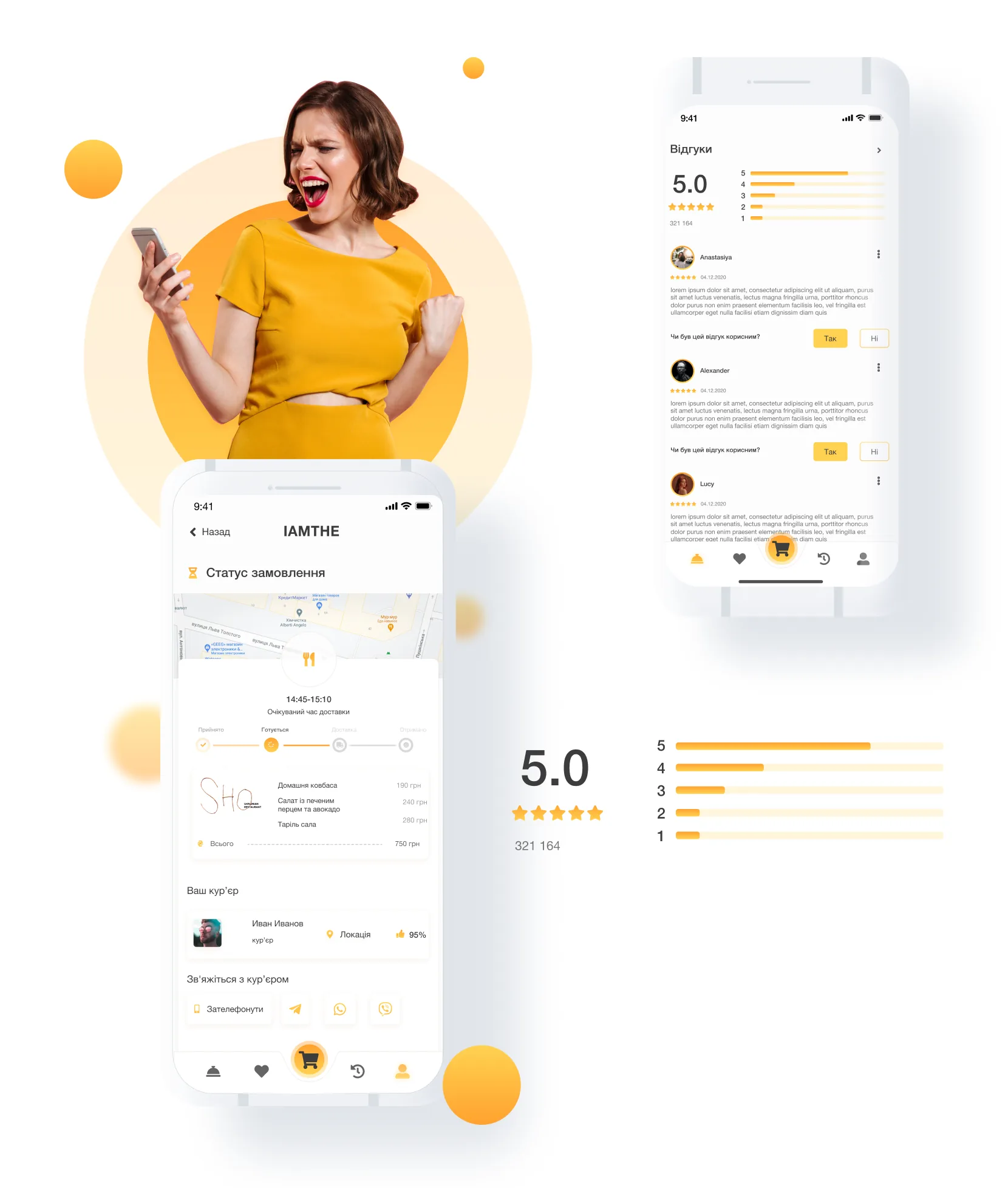
Know where your food is, and who is bringing it

After checkout, guests see a live order status with a map and an arrival window. Reviews show aggregated ratings beside individual feedback, a useful signal for guests and the restaurant.

  1. An arrival window. A time range, not a promise to the minute.
  2. Order progress. Accepted, cooking, on the way, delivered.
  3. The courier. Name, live location and a satisfaction rating.
  4. One-tap contact. Call, Telegram, WhatsApp or Viber.
  5. Ratings at a glance. The average and the spread of stars.
  6. Helpful or not. Guests rate the reviews too.
Order tracking and reviews: an order status screen with a map, a 14:45 to 15:10 delivery window, progress steps, a courier card with a 95% rating and contact buttons; a reviews screen with a 5.0 average, star distribution and helpful buttons
Step 4 · When things go wrong

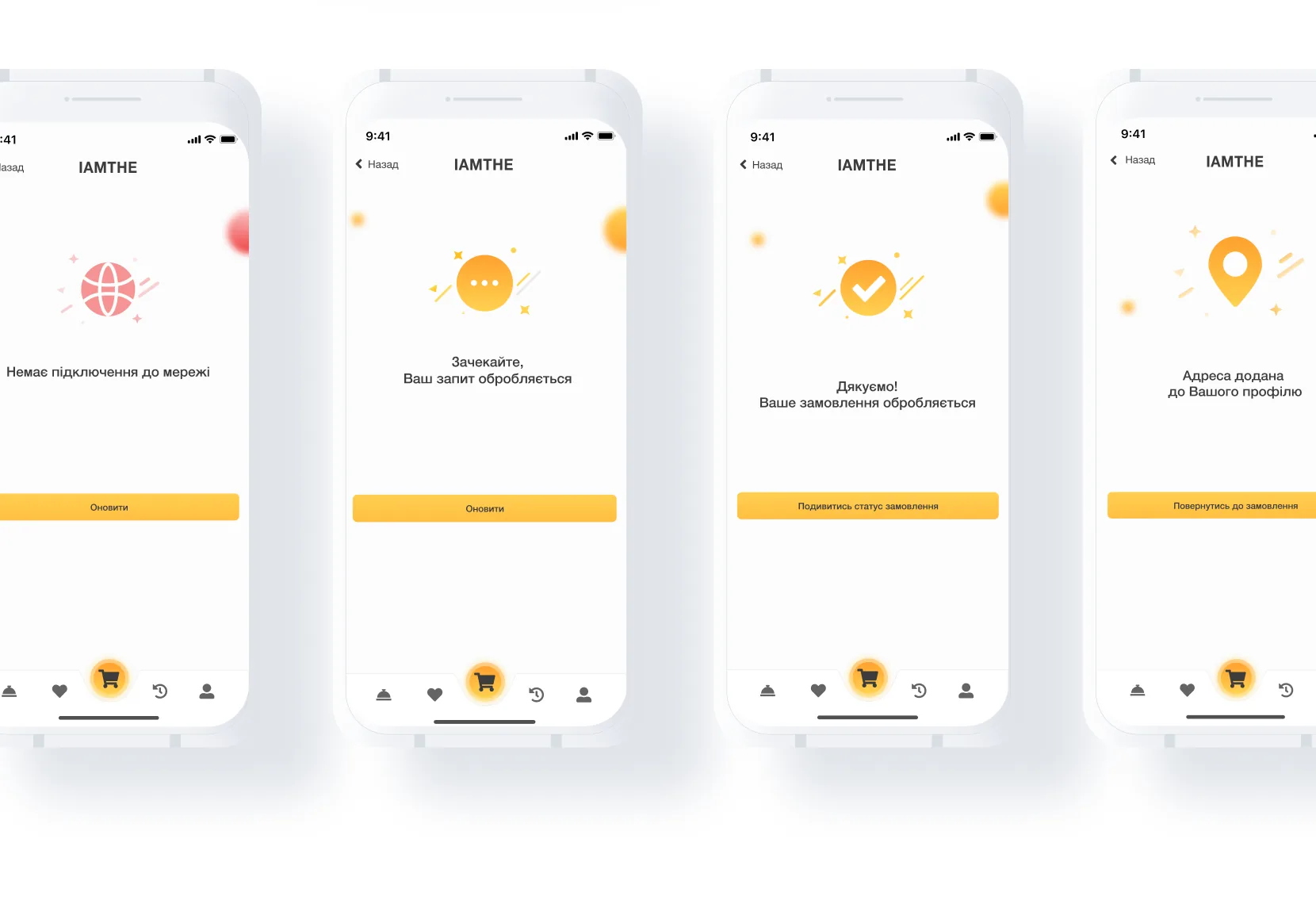
Every edge case gets its own moment

Four system states keep guests informed without leaving them stranded, and keep trust when something fails or needs a moment.

  1. No connection. A clear message and a way to retry.
  2. Processing. The app says it is working on the request.
  3. Order confirmed. A thank-you with a link to the order status.
  4. Address saved. Confirmation, then straight back to the order.
  5. Always a next step. Every state ends in one clear button.
Four system states: no network connection, request processing, order confirmed and address saved, each with an illustration and one amber button

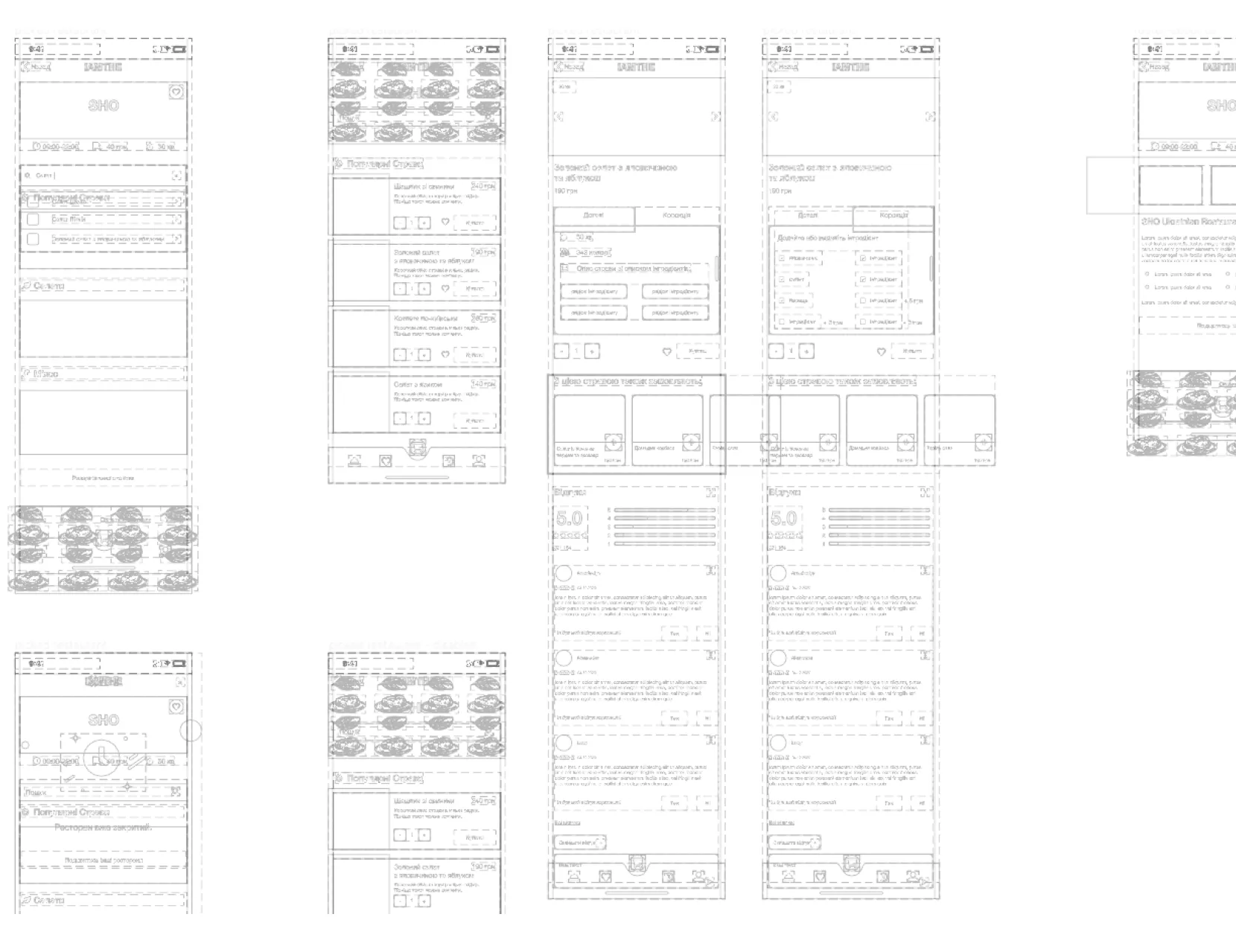
Before colour and photography, every screen was a low-fidelity wireframe.

This stage settled information hierarchy, navigation logic and component placement, separating structural decisions from visual ones and speeding up alignment with stakeholders.

Low-fidelity wireframes and structural outlines
Wireframes. Layout logic before visual design.

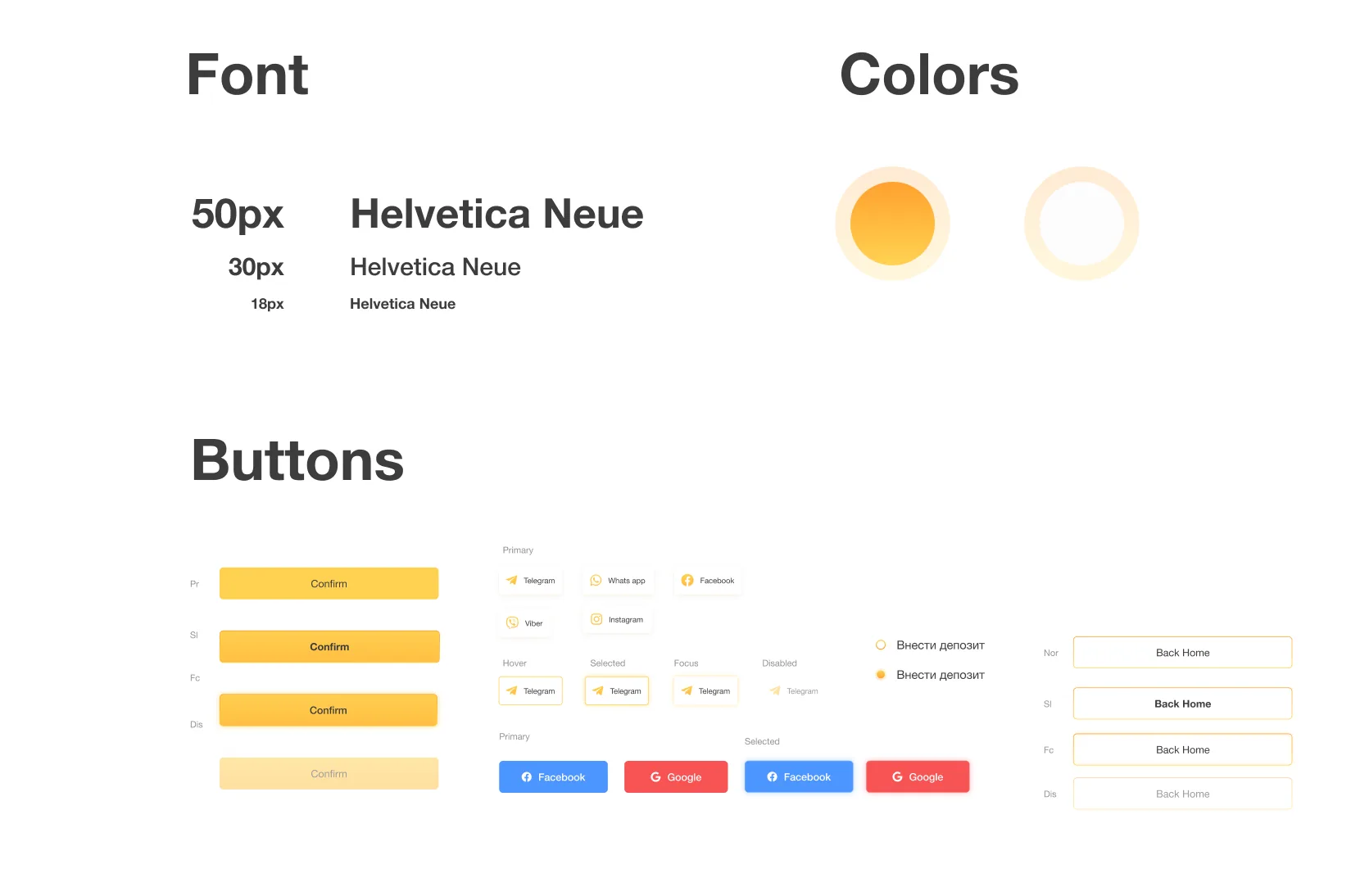
The visual identity centres on a warm amber palette, energetic yet approachable, evoking the golden tones of freshly cooked food. A light neutral acts as the surface, keeping focus firmly on content photography.

Helvetica Neue at three weights (50 / 30 / 18 px) provides a clean, legible type scale. Its neutrality lets the food imagery do the talking while maintaining reading comfort across screen sizes.

#FFAD37
#FFF3D0
#1A1A1A
#FFFFFF

The button component library covers primary, hover, focus and disabled states, plus social auth buttons (Facebook, Google, Telegram, WhatsApp, Viber).

UI Kit: typography, colours and buttons
Typography scale · Colour swatches · Button states & social auth
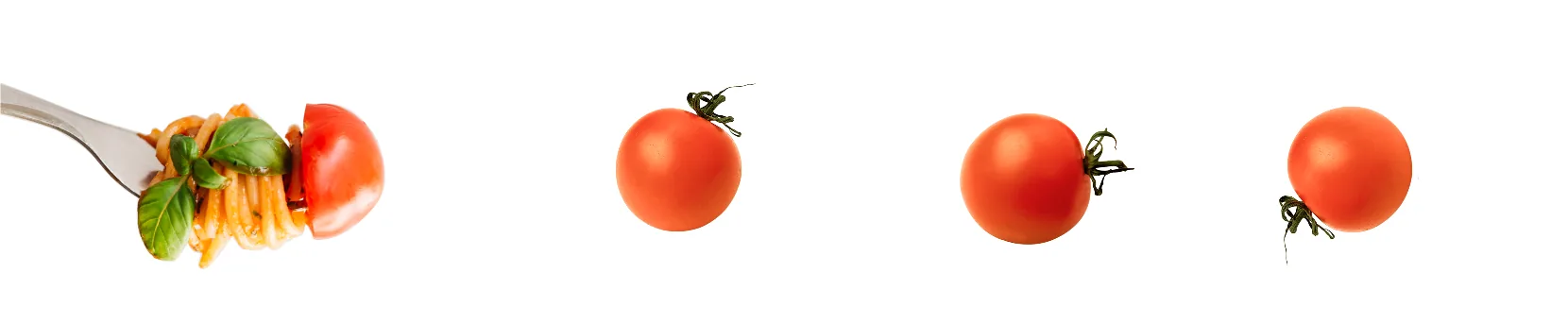
Food photography decorations
Illustration assets: food photography & decorative elements used across the app
01

Wireframes unlock faster decisions. By resolving layout and hierarchy at low fidelity, visual-design reviews stayed focused on craft rather than structural debate, saving significant iteration time.

02

Ingredient customisation is a differentiator. The Correction tab emerged from user research showing that dietary restrictions and personal taste preferences are the top reasons people abandon food apps mid-order.

03

System states are part of the brand. Empty states, error screens and confirmations each reinforce personality: the cheerful amber iconography keeps the tone warm even when things don't go as planned.

04

Photography drives appetite and conversion. The decision to lead every screen with high-quality food imagery, rather than iconography, directly influenced the overall visual language and kept the app emotionally engaging.

IAMTHE closing screen
IAMTHE: the closing screen